

Want to start a blog but feeling overwhelmed by the technical details? You’re in the right place. This comprehensive guide breaks down the entire process into simple, actionable steps that anyone can follow—even if you’ve never built a website before. In just a few hours, you can go from zero to publishing your first blog post and sharing your ideas with the world.
Blogging remains incredibly relevant in 2026, with millions of successful blogs generating income, building communities, and helping people share their expertise. Whether you’re looking to make money blogging, build an audience around your passion, or establish yourself as an authority in your field, this guide will show you exactly how to get started.
Why Start a Blog in 2026?
Before diving into the technical steps of how to start a blog, let’s talk about why blogging continues to thrive in 2026. Despite the rise of social media and video content, blogs offer unique advantages:
Personal Benefits
Professional Benefits
The most successful bloggers in 2026 are those who provide genuine value, maintain consistency, and build meaningful connections with their audience. With the right approach, you can join their ranks—even as a complete beginner.
Ready to Start Your Blogging Journey?
Follow our step-by-step guide below to launch your blog today. No technical experience required!
How to Start a Blog: 10-Step Overview
Starting a blog in 2026 involves following these 10 key steps. We’ll cover each in detail throughout this guide:
- Choose your blog niche and target audience – Define what you’ll write about and who you’re writing for
- Select the right blogging platform – Pick the software that will power your blog
- Pick and register a domain name – Secure your blog’s web address
- Choose web hosting – Find a home for your blog on the internet
- Set up and customize your blog – Design your blog to match your vision
- Create essential pages – Add important pages like About and Contact
- Write and publish your first blog post – Create your initial content
- Optimize for search engines – Help readers find your blog
- Promote your blog – Share your content on social media and beyond
- Monetize your blog – Explore ways to make money from your blog
Don’t worry if this seems like a lot—we’ll break down each step into simple, manageable tasks. By the end of this guide, you’ll have everything you need to start a successful blog in 2026.
1. Choose Your Blog Niche and Target Audience
The first step in learning how to start a blog is deciding what you’ll write about and who you’re writing for. Your blog niche is the specific topic area you’ll focus on, while your target audience is the group of people who will most benefit from your content.

How to Choose a Profitable Blog Niche in 2026
The best blog niches balance your interests with market demand. Here’s how to find that sweet spot:
Follow Your Passion
List topics you genuinely enjoy and could write about consistently for years. Sustainable blogging requires authentic interest.
Identify Your Expertise
Consider your professional skills, personal experiences, and unique knowledge that could provide value to others.
Research Market Demand
Use tools like Google Trends and keyword research to verify people are actively searching for your potential topics.
Popular Blog Niches in 2026
| Niche | Audience Size | Competition | Monetization Potential |
| Personal Finance | Very Large | High | Excellent |
| Health & Wellness | Very Large | High | Excellent |
| Food & Recipes | Very Large | High | Good |
| Travel | Large | High | Good |
| Technology | Large | High | Good |
| Sustainable Living | Growing | Medium | Good |
| Personal Development | Large | Medium | Good |
| Parenting | Large | Medium | Good |
Don’t worry about picking the perfect niche right away. Many successful bloggers evolve their focus over time as they discover what resonates with their audience and what they most enjoy writing about.
Define Your Target Audience
Once you’ve chosen a niche, get specific about who you’re writing for. The more clearly you can envision your ideal reader, the more effectively you can create content that resonates with them.
Pro Tip
Create a detailed reader persona by answering these questions:
Remember, it’s better to be the go-to resource for a specific audience than to create generic content for everyone. Narrowing your focus helps you stand out in a crowded blogosphere.
2. Select the Right Blogging Platform
Choosing the right blogging platform is a crucial decision when you start a blog. This is the software that will power your blog and determine how easy it is to create, publish, and manage your content.
Top Blogging Platforms Compared (2026)
WordPress.org
Wix
Squarespace
Why WordPress.org Is Recommended for Most Bloggers
While there are several good options, WordPress.org (self-hosted WordPress) stands out as the best choice for most bloggers in 2026. Here’s why:
Complete Ownership
With WordPress.org, you fully own your content and website. You’re not at the mercy of a platform that could change its terms, increase prices, or even shut down.
SEO Advantages
WordPress is built with clean code and offers powerful SEO plugins that give you complete control over how your blog appears in search engines.
Unlimited Growth Potential
As your blog grows, WordPress grows with you. From a simple blog to a complex website with membership areas, online courses, or e-commerce—WordPress can handle it all.
Massive Community
With millions of users worldwide, WordPress has an enormous community of developers, designers, and users who create resources, plugins, and themes.
Important distinction
WordPress.org (self-hosted) is different from WordPress.com. WordPress.org requires your own hosting but gives you full control. WordPress.com is a hosted service with significant limitations on the free plan.
For the remainder of this guide, we’ll focus on setting up a blog with WordPress.org, as it offers the best balance of usability, flexibility, and growth potential for most bloggers.
3. Pick and Register a Domain Name
Your domain name is your blog’s address on the internet (like yourblogname.com). It’s one of the most important decisions when you start a blog because it’s how readers will find and remember you.
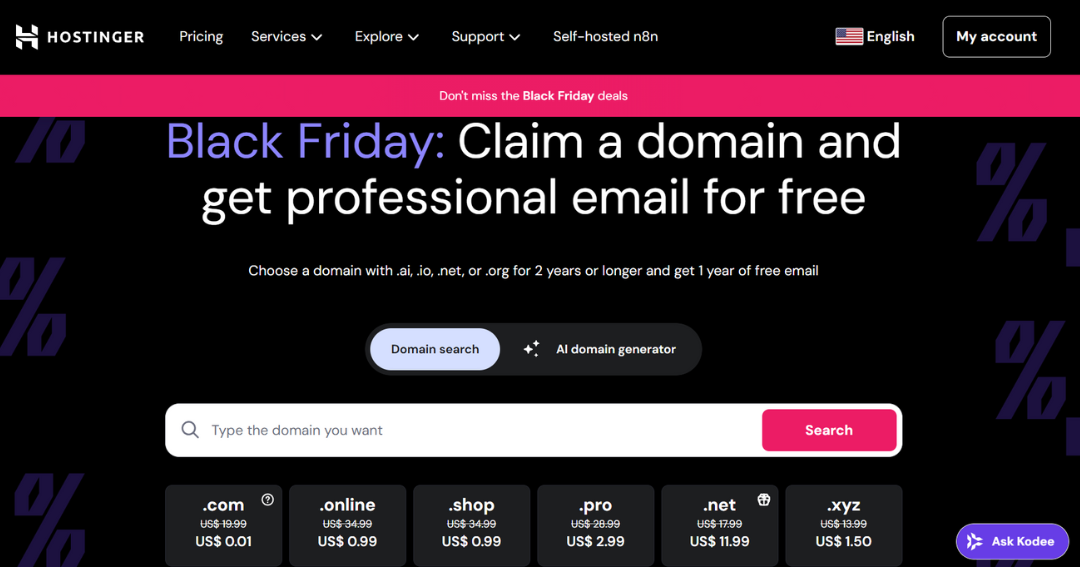
How to Choose the Perfect Domain Name
A good domain name should be memorable, relevant to your blog topic, and easy to spell. Here are key guidelines to follow:
DO:
DON’T:
Domain Name Ideas for Your Blog
If you’re struggling to come up with a domain name, try these approaches:
Your Name
Using your own name (like johnsmith.com) is perfect for personal brands and gives you maximum flexibility to evolve your topics over time.
Descriptive Phrase
Combine words that describe your niche (like healthyeatingtips.com or budgettraveler.com) to instantly communicate what your blog is about.
Branded Name
Create a unique, memorable name (like Zapier or Canva) that can grow into a strong brand over time, though it may require more marketing initially.
Domain Name Brainstorming Tools
How to Register Your Domain Name
Once you’ve chosen your perfect domain name, you need to register it. There are two main approaches:
Option 1: Register with Your Host (Recommended)
Most web hosting companies offer free domain registration when you sign up for hosting. This is the simplest approach as everything is managed in one place.
Benefits:
Option 2: Separate Domain Registrar
You can also register your domain with a dedicated domain registrar like Namecheap or Google Domains, then connect it to your hosting.
Benefits:
For most new bloggers, registering your domain with your hosting company (Option 1) is the simplest approach. We’ll cover this process in the next step when we set up hosting.
Important
Before finalizing your domain name, check that it’s not trademarked or too similar to existing brands. Also, avoid domains that could be confused with popular websites when typed (like “yutube.com” instead of “youtube.com”).
4. Choose Web Hosting (With Recommendations for Beginners)
Web hosting is a service that stores your blog files and makes them accessible on the internet. Think of it as renting space on a server where your blog will live. Choosing the right web hosting is crucial when you start a blog because it affects your site’s performance, security, and reliability.
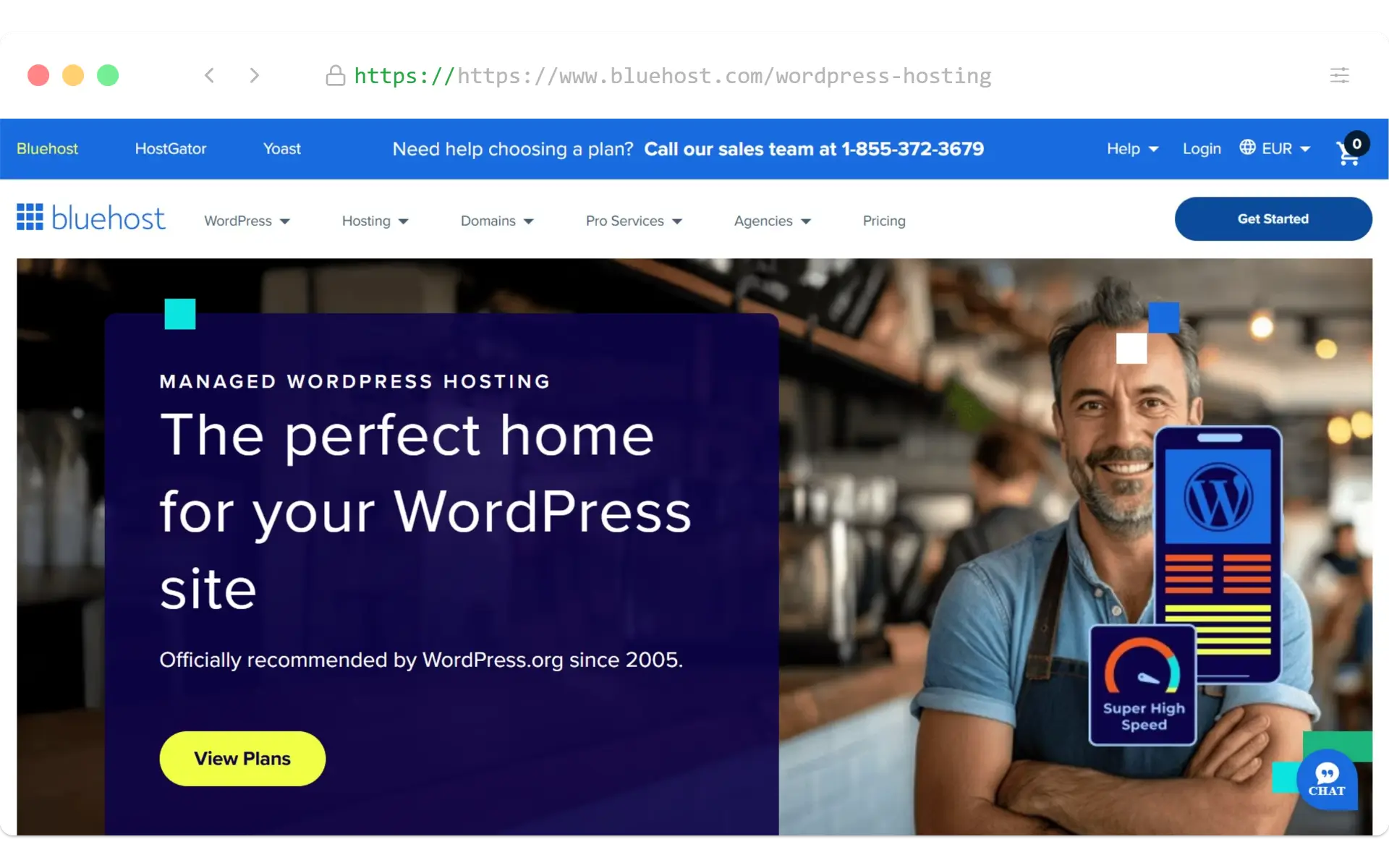
Recommended Web Hosting for New Bloggers in 2026
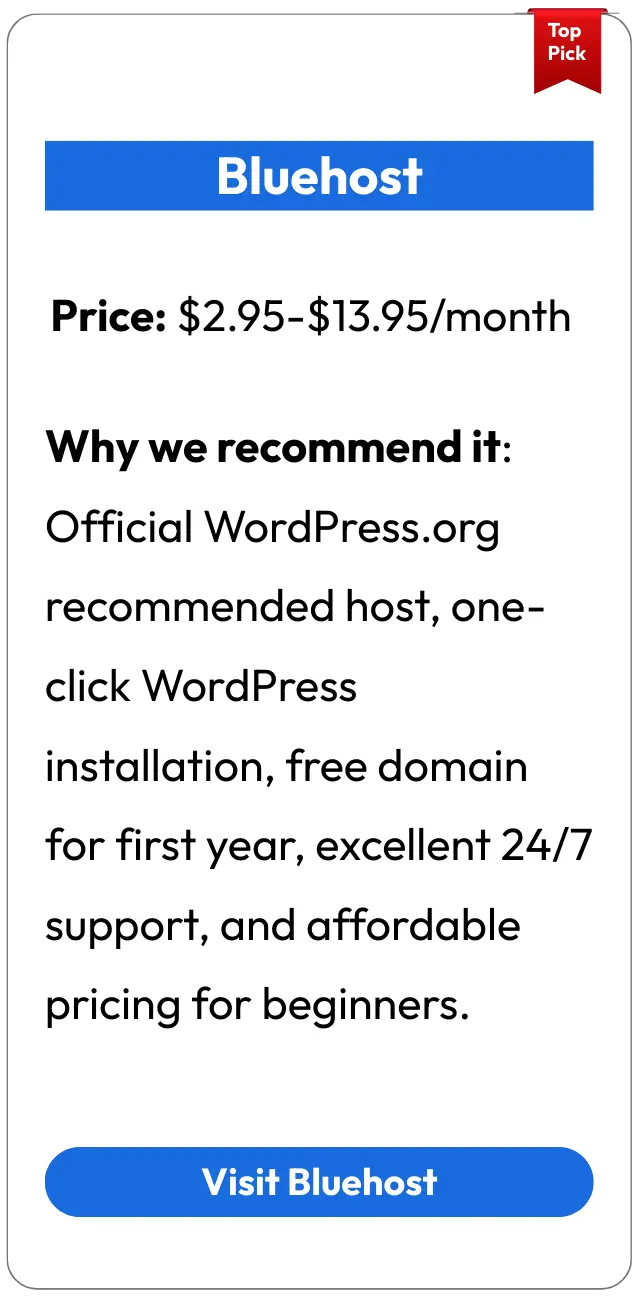
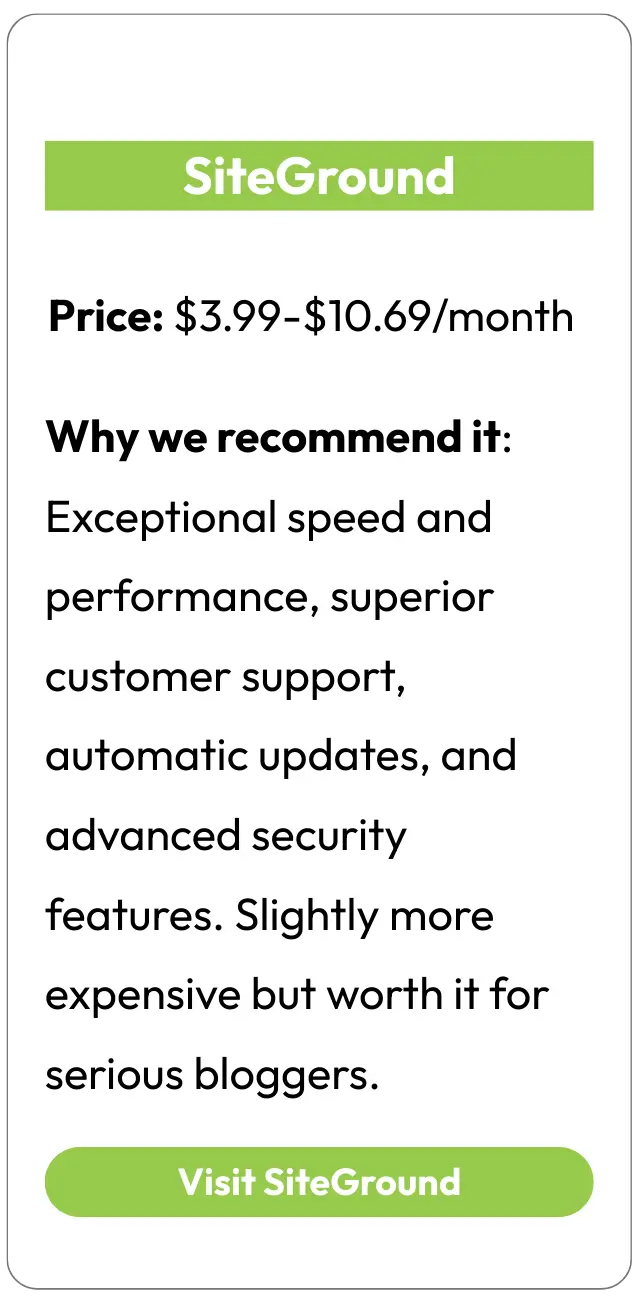
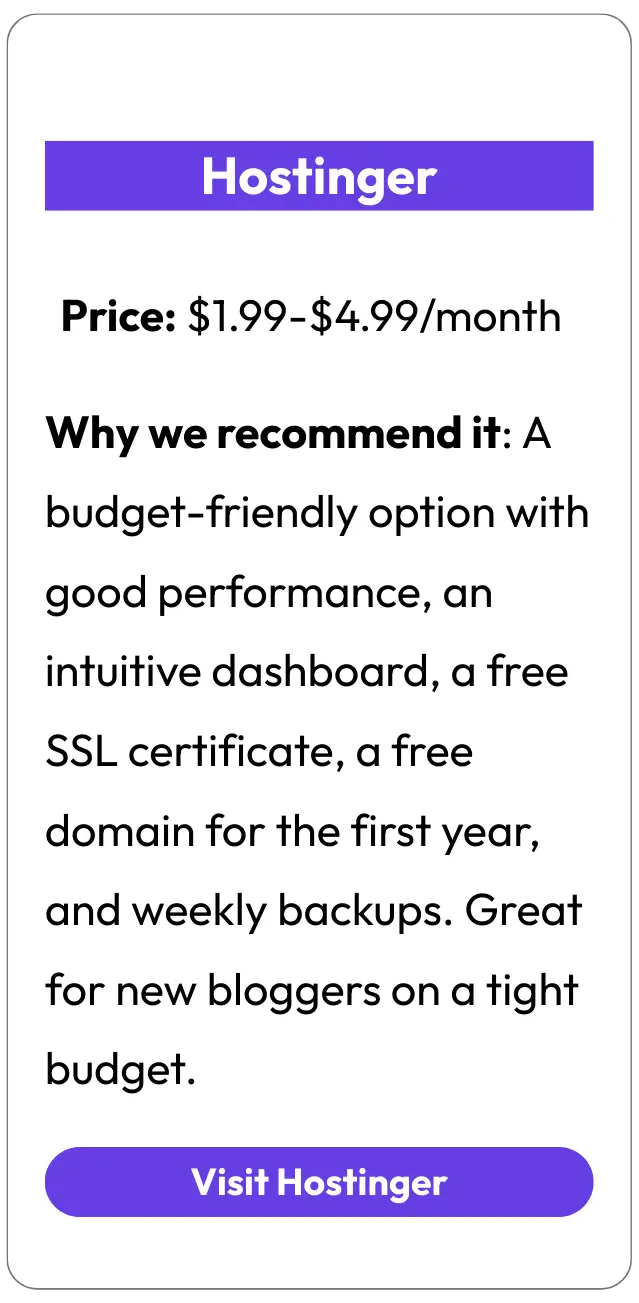
For beginners starting a blog, we recommend these hosting providers based on reliability, ease of use, and value:
How to Choose the Right Hosting Plan
When selecting a hosting plan for your new blog, consider these factors:
| Factor | What to Look For | Why It Matters |
| Uptime | 99.9% or higher guaranteed uptime | Ensures your blog is accessible to readers at all times |
| Loading Speed | SSD storage, good server response times | Affects user experience and search engine rankings |
| Storage Space | At least 10GB for new blogs | Determines how much content you can publish |
| Bandwidth | Unmetered or at least 20GB/month | Affects how many visitors your blog can handle |
| WordPress Support | One-click installation, WordPress-specific features | Makes setup and management much easier |
| Customer Support | 24/7 support via multiple channels | Critical when you encounter technical issues |
| Security Features | Free SSL certificate, regular backups | Protects your blog and your visitors’ data |
| Scalability | Easy upgrade options | Allows your hosting to grow with your blog |
Step-by-Step: How to Set Up Hosting with Bluehost
Here’s how to quickly set up hosting for your new blog using our recommended provider, Bluehost:
- Visit Bluehost’s website and click the “Get Started” button
- Select a hosting plan (Basic is sufficient for most new blogs)
- Enter your domain name (either a new domain or one you already own)
- Create your account by entering your contact and payment information
- Choose your hosting package and any additional options (domain privacy is recommended)
- Complete your purchase and set up your password
- Log in to your Bluehost dashboard where you’ll install WordPress in the next step
When I started my first blog, I was tempted to choose the cheapest hosting option available. Looking back, investing in reliable hosting from the beginning saved me countless headaches and technical issues that would have derailed my blogging momentum.
Ready to Start Your Blog?
Get reliable hosting with Bluehost, our top recommendation for new bloggers. Includes a free domain name, one-click WordPress installation, and 24/7 support.
5. Setting Up and Customizing Your Blog
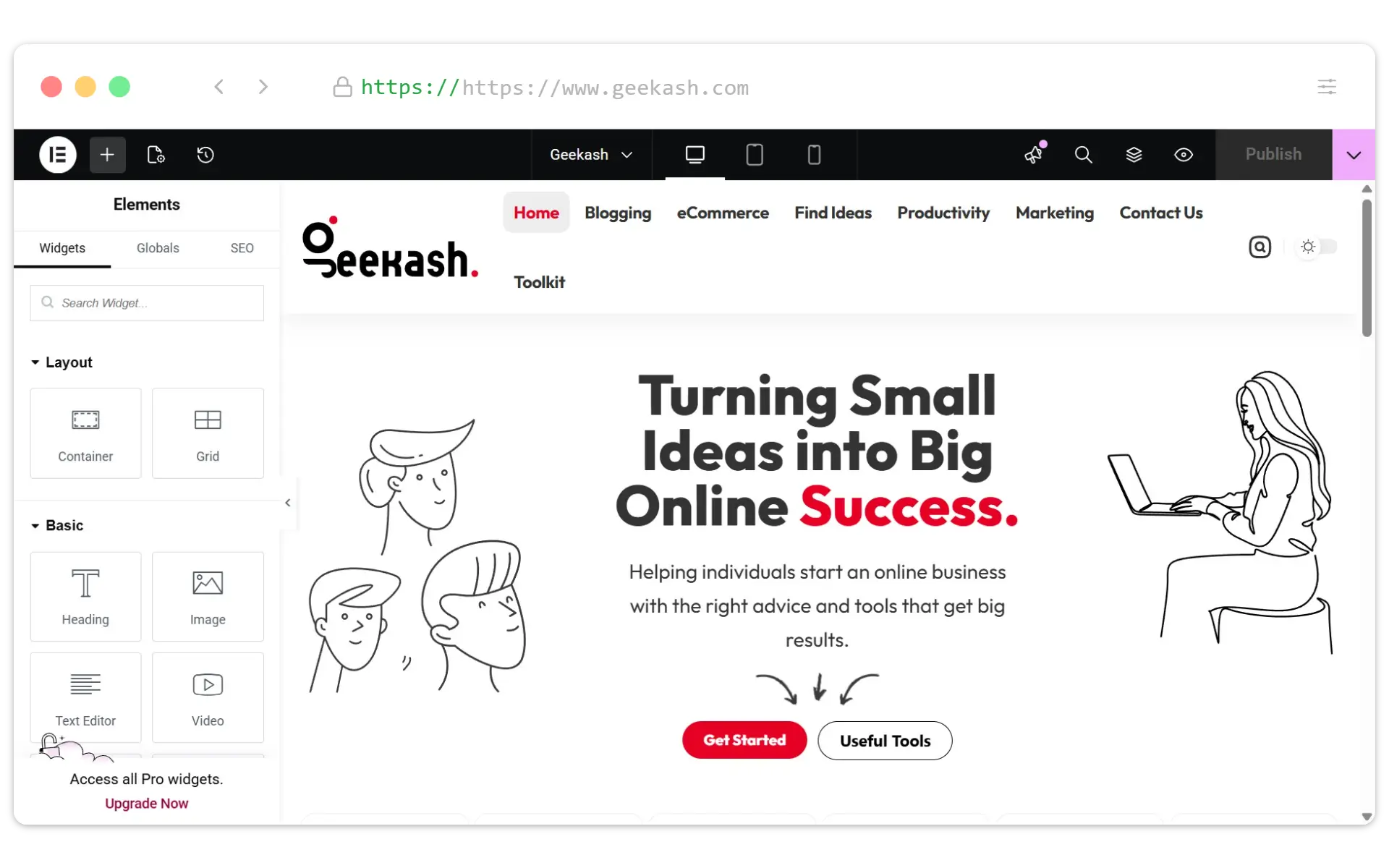
Now that you have your domain name and hosting, it’s time to set up WordPress and customize your blog’s appearance. This is where your blog starts to take shape and reflect your unique style and brand.
Installing WordPress on Your Hosting
Most hosting providers offer one-click WordPress installation. Here’s how to do it with Bluehost:
- Log in to your Bluehost account dashboard
- Look for the “WordPress” or “Website” section
- Click on “Install WordPress” or “Create Site”
- Follow the prompts to complete the installation
- Once installed, you’ll receive login credentials for your WordPress dashboard
Note
If you’re using a different hosting provider, the process will be similar. Look for “One-click installations,” “Website builders,” or “WordPress installation” in your hosting dashboard.
Choosing the Perfect WordPress Theme
Your theme determines how your blog looks and feels. In 2026, these WordPress themes stand out for new bloggers:
Astra
Price: Free (Pro from $59)
Best for: All-purpose blogging with excellent speed and customization options. Works well with page builders and is extremely lightweight.
Kadence
Price: Free (Pro from $79)
Best for: Design-focused bloggers who want extensive styling options without needing to code. Features excellent header and footer builders.
GeneratePress
Price: Free (Pro from $59)
Best for: Performance-focused blogs. Extremely lightweight and fast, with clean code and excellent compatibility with all plugins.
How to Install a WordPress Theme
- Log in to your WordPress dashboard at yourblogname.com/wp-admin
- Go to Appearance → Themes in the left sidebar
- Click “Add New” at the top of the page
- Browse featured themes or search for a specific theme
- Hover over your chosen theme and click “Install“
- After installation completes, click “Activate“
- Go to Appearance → Customize to begin personalizing your theme
Essential Theme Customizations for New Bloggers
Once your theme is installed, focus on these key customizations:
Logo and Site Identity
Upload your logo or simply set your blog name and tagline. This appears in your header and browser tabs.
Homepage Layout
Decide whether to display your latest posts or a static homepage. For new blogs, showing recent posts often works best.
Colors and Typography
Choose colors that match your brand and fonts that are easy to read. Stick to 2-3 colors and 2 font families maximum.
Sidebar and Widgets
Add useful elements like a search bar, categories list, and about section. Don’t overcrowd with too many widgets.
Header and Navigation
Set up your main menu with essential pages. Keep navigation simple and intuitive for visitors.
Footer Content
Include copyright information, important links, and perhaps a brief description of your blog.
Pro Tip
Don’t get stuck in the customization phase! It’s easy to spend weeks tweaking your design, but remember that content is what truly matters. Aim for a clean, professional design and then focus on creating great blog posts.
Essential WordPress Plugins for New Bloggers
Plugins add functionality to your WordPress blog. Here are the must-have plugins for 2026:
| Plugin | Purpose | Why You Need It |
| RankMath | Search Engine Optimization | Helps optimize your content for search engines with easy-to-follow guidelines |
| Wordfence Security | Security | Protects your blog from hackers and malicious attacks |
| UpdraftPlus | Backups | Automatically backs up your blog to prevent data loss |
| FlyingPress | Performance | Speeds up your blog by implementing caching and optimization |
| Elementor | Page Building | Makes designing custom pages easy with drag-and-drop functionality |
| Monster Insights | Analytics | Connects Google Analytics to track visitor behavior |
| Akismet | Spam Protection | Automatically filters spam comments |
| Social Snap | Social Sharing | Adds attractive social sharing buttons to your content |
To install plugins, go to Plugins → Add New in your WordPress dashboard, search for the plugin name, and click “Install Now” followed by “Activate.”
Warning
Only install plugins you truly need. Too many plugins can slow down your site and create security vulnerabilities. Always keep plugins updated for best performance and security.
6. Creating Essential Pages for Your Blog
Before you start publishing blog posts, you need to create several essential pages that provide important information to your readers and help establish trust. These pages also play a role in your blog’s legal compliance and professionalism.
Must-Have Pages for Every Blog
About Page
This is often the second most-visited page on a blog. It tells readers who you are, why you’re qualified to write about your topic, and what makes your blog unique.
Key elements to include:
Contact Page
Makes it easy for readers, potential collaborators, and brands to reach you. A simple contact form is usually the best approach.
Key elements to include:
Privacy Policy
Required by law if you collect any data from visitors (which most blogs do through comments, contact forms, analytics, etc.).
Key elements to include:
Additional Important Pages to Consider
Terms and Conditions
Sets the rules for using your blog and protects your content. Especially important if you sell products or services.
Resources/Tools Page
Lists products, services, or tools you recommend. Can include affiliate links for monetization.
Disclaimer
Clarifies that your content is your opinion and limits your liability. Essential for blogs about health, finance, or other regulated topics.
Work With Me Page
Outlines services you offer, sponsorship opportunities, or collaboration options. Essential if you plan to monetize through services.
Start Here Page
Guides new visitors to your best content and helps them navigate your blog effectively. Great for reducing bounce rates.
FAQ Page
Answers common questions about your blog, niche, or services. Saves you time and improves user experience.
Pro Tip
For legal pages like Privacy Policy and Terms and Conditions, you can use generators like TermsFeed or Privacy Policy Generator to create customized templates. However, consider having a legal professional review them if your blog handles sensitive information or operates in regulated industries.
How to Create Pages in WordPress
- Log in to your WordPress dashboard
- Go to Pages → Add New
- Enter a title for your page
- Add your content using the WordPress editor
- Set a featured image if desired
- Click “Publish” when you’re ready to make the page live
Adding Pages to Your Navigation Menu
Once you’ve created your essential pages, add them to your navigation menu so visitors can find them:
- Go to Appearance → Menus in your WordPress dashboard
- Create a new menu or select your existing main menu
- Check the boxes next to the pages you want to add
- Click “Add to Menu”
- Arrange the pages by dragging them into your preferred order
- Set the display location (usually “Primary Menu” or “Header Menu”)
- Click “Save Menu”
Your About page is often where casual readers decide to become loyal followers. It’s worth spending extra time crafting a compelling story that connects with your target audience and clearly communicates your unique value proposition.
7. Writing and Publishing Your First Blog Post
Now comes the exciting part—creating your first blog post! This is where you start sharing your knowledge, stories, and ideas with the world. Your first post sets the tone for your blog and gives readers a taste of what to expect from your content.
Choosing a Topic for Your First Blog Post
Your first post should be something you’re knowledgeable and passionate about. Here are some proven ideas for your first blog post:
Introduction Post
Introduce yourself and your blog’s purpose. Explain what readers can expect from your content and why you’re qualified to write about your chosen niche.
Comprehensive Guide
Create an in-depth guide about a fundamental topic in your niche. This establishes your expertise and provides immediate value to readers.
Personal Story
Share a personal experience related to your niche. Stories create emotional connections and help readers relate to you on a human level.
Anatomy of an Effective Blog Post
A well-structured blog post includes these key elements:
Compelling Headline
Your headline should grab attention and clearly indicate what the post is about. Include your target keyword for SEO benefits.
Visual Elements
Include relevant images, infographics, or videos to break up text and illustrate key points. Properly optimize images for web performance.
Engaging Introduction
Hook readers in the first few sentences by addressing a problem, asking a question, or sharing a surprising fact. Clearly state what the post will cover.
Actionable Conclusion
Summarize key points and include a call-to-action that tells readers what to do next (comment, share, subscribe, etc.).
Well-Structured Body
Break content into logical sections with descriptive subheadings (H2, H3, H4). Use short paragraphs, bullet points, and numbered lists for readability.
Engagement Prompts
End with a question or discussion prompt to encourage comments and interaction from readers.
Ideal Blog Post Length in 2026
While there’s no perfect length, comprehensive posts of 1,500-2,500 words tend to perform best for SEO and reader engagement. However, quality always trumps quantity—a concise, value-packed 800-word post is better than a rambling 2,000-word post with fluff.
Step-by-Step: Creating Your Post in WordPress
- Log in to WordPress and go to Posts → Add New
- Enter your headline in the title field
- Write your content using the WordPress block editor
- Add formatting like headings, bold text, and lists using the block options
- Insert images by clicking the + icon and selecting Image
- Set a featured image (this appears as the thumbnail in listings)
- Add categories and tags to organize your content
- Preview your post to see how it will look when published
- Click “Publish” when you’re ready to make it live
Writing Tips for Engaging Blog Content
Write Like You Talk
Use a conversational tone that feels like you’re speaking directly to the reader. This creates connection and makes complex topics more accessible.
Tell Stories
Weave personal anecdotes and case studies into your content. Stories make information more memorable and engaging.
Focus on Readability
Use short sentences and paragraphs. Aim for a reading level around 6th-8th grade for maximum accessibility (tools like Hemingway Editor can help).
Edit Ruthlessly
After writing, cut unnecessary words, sentences, and paragraphs. Tighter content respects your reader’s time and improves clarity.
Be Specific and Actionable
Provide concrete examples, steps, and takeaways. Vague advice is less valuable than specific, implementable guidance.
Add Your Unique Perspective
Don’t just regurgitate what others have said. Include your own insights, experiences, and opinions to stand out.
Don’t aim for perfection with your first post. The most important thing is to start publishing. Your writing and content strategy will naturally improve over time as you gain experience and feedback from readers.
Pro Tip
Before publishing, read your post aloud. This helps catch awkward phrasing, run-on sentences, and areas that need clarification. It’s one of the simplest yet most effective editing techniques.
8. Basic SEO Optimization for Beginners
Search Engine Optimization (SEO) helps your blog posts appear in search results when people look for information related to your content. Even basic SEO can significantly increase your blog’s visibility and bring in consistent traffic over time.
SEO Fundamentals for New Bloggers
Don’t let SEO intimidate you. Focus on these basics when you start a blog:
Keyword Research
Identify words and phrases your target audience is searching for. These become the foundation of your content strategy.
Free tools to use:
On-Page Optimization
Structure your content to help search engines understand what it’s about and rank it appropriately.
Key elements to optimize:
Content Quality
Create comprehensive, valuable content that thoroughly addresses the searcher’s intent.
Focus on:
Step-by-Step SEO Process for Each Blog Post
- Research keywords before writing your post
- Choose one primary keyword and 2-3 related secondary keywords
- Include your primary keyword in your title, URL, first paragraph, and at least one heading
- Write a compelling meta description that includes your primary keyword
- Use descriptive, keyword-rich alt text for all images
- Create a logical heading structure (H1 for title, H2 for main sections, H3 for subsections)
- Link to relevant internal content within your blog
- Link to authoritative external sources to support your points
- Optimize for readability with short paragraphs, bullet points, and clear formatting
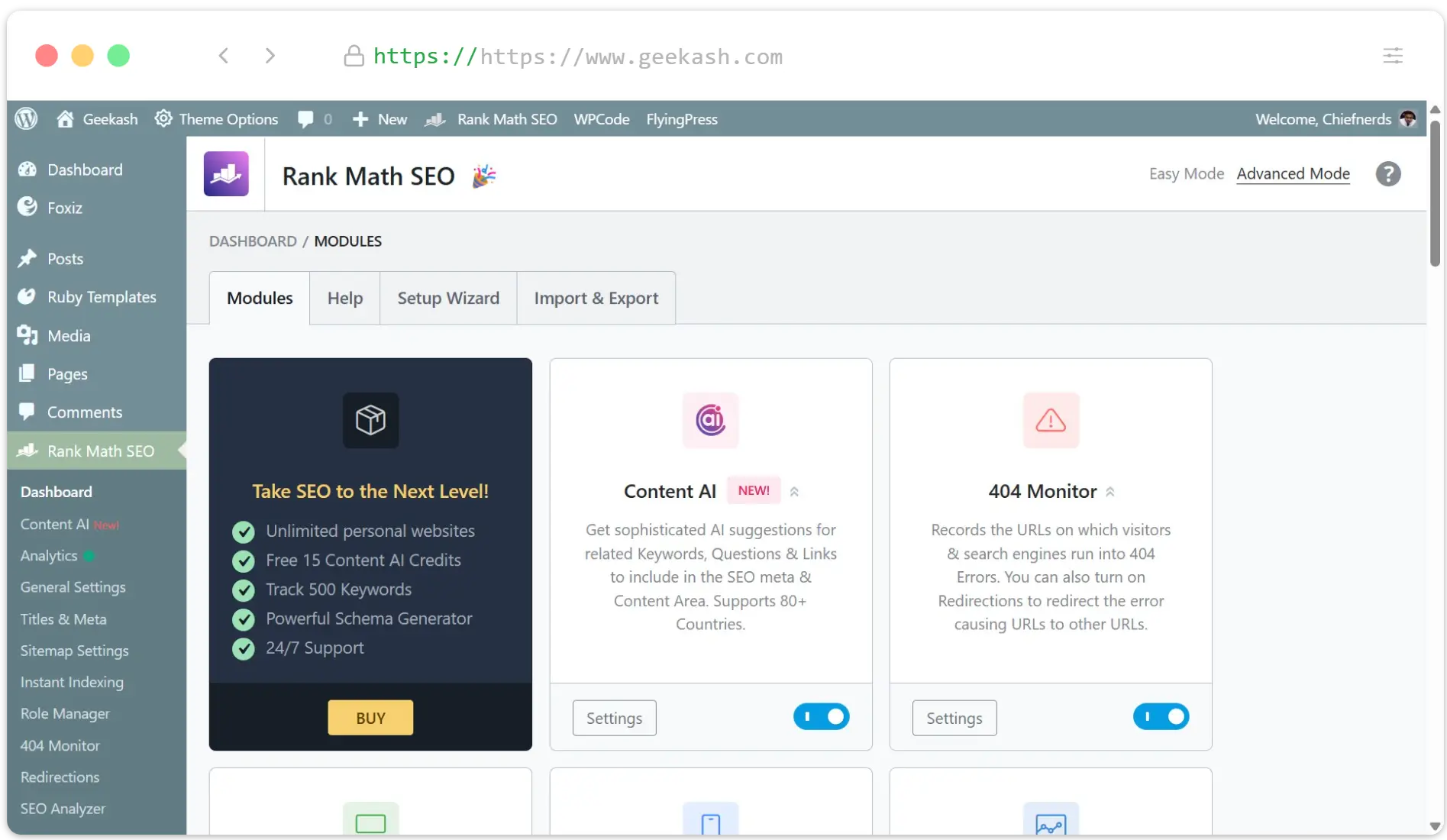
Installing and Setting Up Rank Math Plugin
Rank Math is a powerful WordPress plugin that makes on-page optimization much easier. Here’s how to set it up:
- Go to Plugins → Add New in your WordPress dashboard
- Search for “Rank Math” and click “Install Now”
- After installation, click “Activate”
- Go to Rank Math SEO → Dashboard and follow the configuration wizard
- Connect to Google Search Console for additional insights
Common SEO Mistakes to Avoid
Keyword Stuffing
Unnaturally forcing keywords into your content makes it read poorly and can trigger search engine penalties. Focus on writing naturally for humans first.
Neglecting Page Speed
Slow-loading pages frustrate visitors and hurt search rankings. Optimize images, use caching, and choose a fast hosting provider.
Duplicate Content
Publishing identical or very similar content across multiple pages dilutes your SEO efforts. Each page should have unique, valuable content.
Poor Internal Linking
Internal links help search engines understand your site structure and help readers discover more of your content. Create a logical linking strategy.
Ignoring Mobile Optimization
Most web traffic comes from mobile devices. Ensure your blog looks and functions well on smartphones and tablets.
Focusing Only on Search Engines
The best SEO strategy is creating content that genuinely helps your audience. Prioritize user experience over search engine tricks.
Important
SEO is a long-term strategy. Don’t expect immediate results from your optimization efforts. It typically takes 3-6 months for new content to reach its full ranking potential in search engines.
The best SEO strategy for new bloggers is simple: create the most helpful, comprehensive resource on your topic that exists on the internet. Everything else is secondary to providing genuine value to your readers.
A Friend on X
9. Promoting Your Blog on Social Media
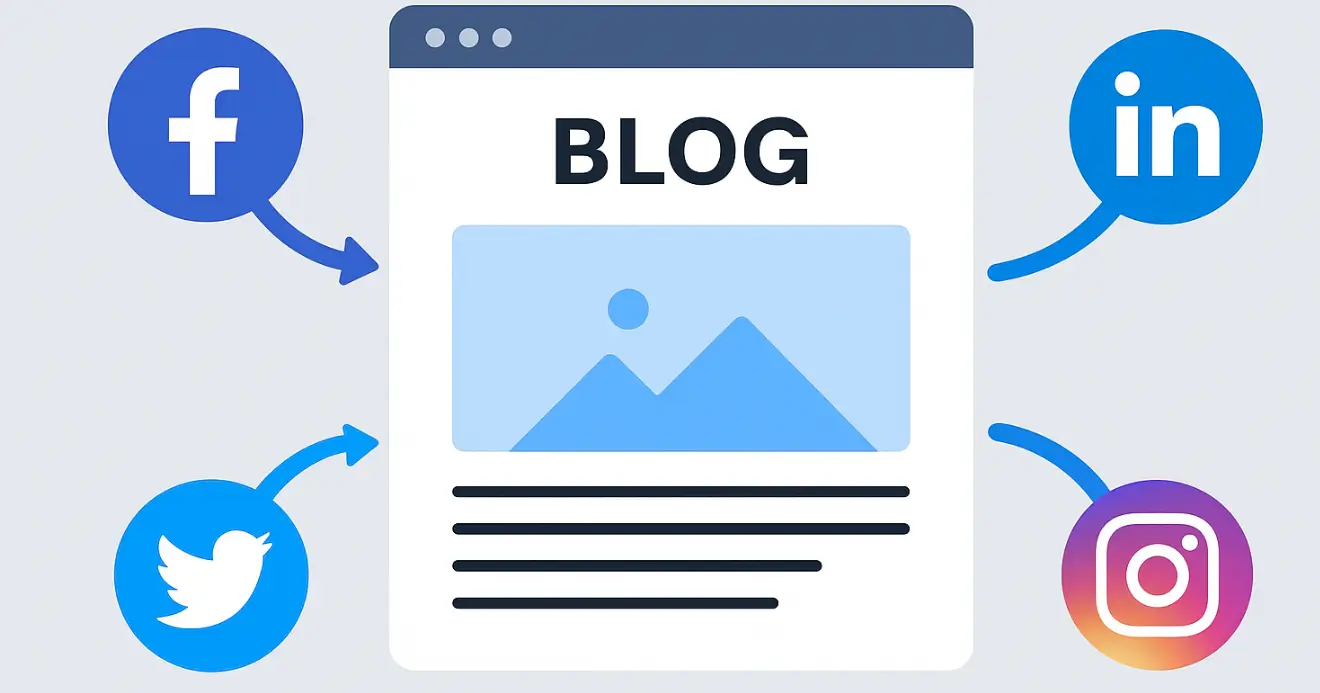
Creating great content is only half the battle—you also need to get that content in front of readers. Social media is one of the most effective ways to promote your blog, build an audience, and drive traffic to your new posts.
Choosing the Right Social Media Platforms
Not all social platforms are equally effective for every blog niche. Focus your efforts on the platforms where your target audience is most active:
| Platform | Best For | Content Type | Audience Demographics |
| Visual niches (food, travel, fashion, fitness, lifestyle) | High-quality images, short videos, stories, reels | 18-34 year olds, slightly more female users | |
| DIY, recipes, home decor, fashion, wedding, parenting | Vertical images, infographics, step-by-step visuals | Predominantly female (70%+), 25-54 age range | |
| X (Twitter) | News, technology, politics, business, sports | Short updates, links, polls, threads, commentary | 25-49 year olds, slightly more male users |
| Local businesses, community building, general topics | Text, images, videos, links, events, groups | All ages, but growing fastest among 55+ | |
| B2B, career, professional development, business | Professional insights, industry news, thought leadership | 25-54 year olds, professionals, decision-makers | |
| TikTok | Entertainment, education, how-to, behind-the-scenes | Short-form videos, trends, authentic content | 16-34 year olds, slightly more female users |
| YouTube | Tutorials, reviews, demonstrations, vlogs | Long-form videos, series, educational content | Broad age range, slightly more male users |
| Threads | Conversations, community building, text-based updates | Short text posts, conversations, trending topics | 25-44 year olds, Instagram crossover |
Pro Tip
Start with just 2-3 platforms where your audience is most active, rather than trying to maintain a presence everywhere. It’s better to excel on a few platforms than to spread yourself too thin across many.
Creating a Social Media Strategy for Your Blog
Follow these steps to develop an effective social media strategy:
- Set clear goals for each platform (traffic, engagement, community building)
- Create platform-specific content that’s optimized for each network
- Develop a consistent posting schedule using a content calendar
- Use a mix of content types (promotional, educational, entertaining, personal)
- Engage authentically with your audience and other creators in your niche
- Track performance using analytics to refine your approach
Effective Social Media Promotion Tactics
Content Repurposing
Transform your blog posts into multiple social media formats:
Community Building
Focus on creating meaningful connections:
Growth Tactics
Strategies to expand your reach:
Tools to Streamline Your Social Media Promotion
Content Scheduling
Analytics
Content Creation
Content Discovery
Other Effective Blog Promotion Strategies
Email Marketing
Building an email list is one of the most valuable long-term promotion strategies. Unlike social media, you own your email list and can reach subscribers directly.
Getting started:
Community Engagement
Participating in relevant communities can drive targeted traffic to your blog while establishing your expertise.
Effective platforms:
Important
When promoting your blog in communities, focus on providing value first. Only share your content when it’s genuinely helpful and relevant to the discussion. Overly promotional behavior can damage your reputation and get you banned from many communities.
10. Monetization Strategies for New Bloggers
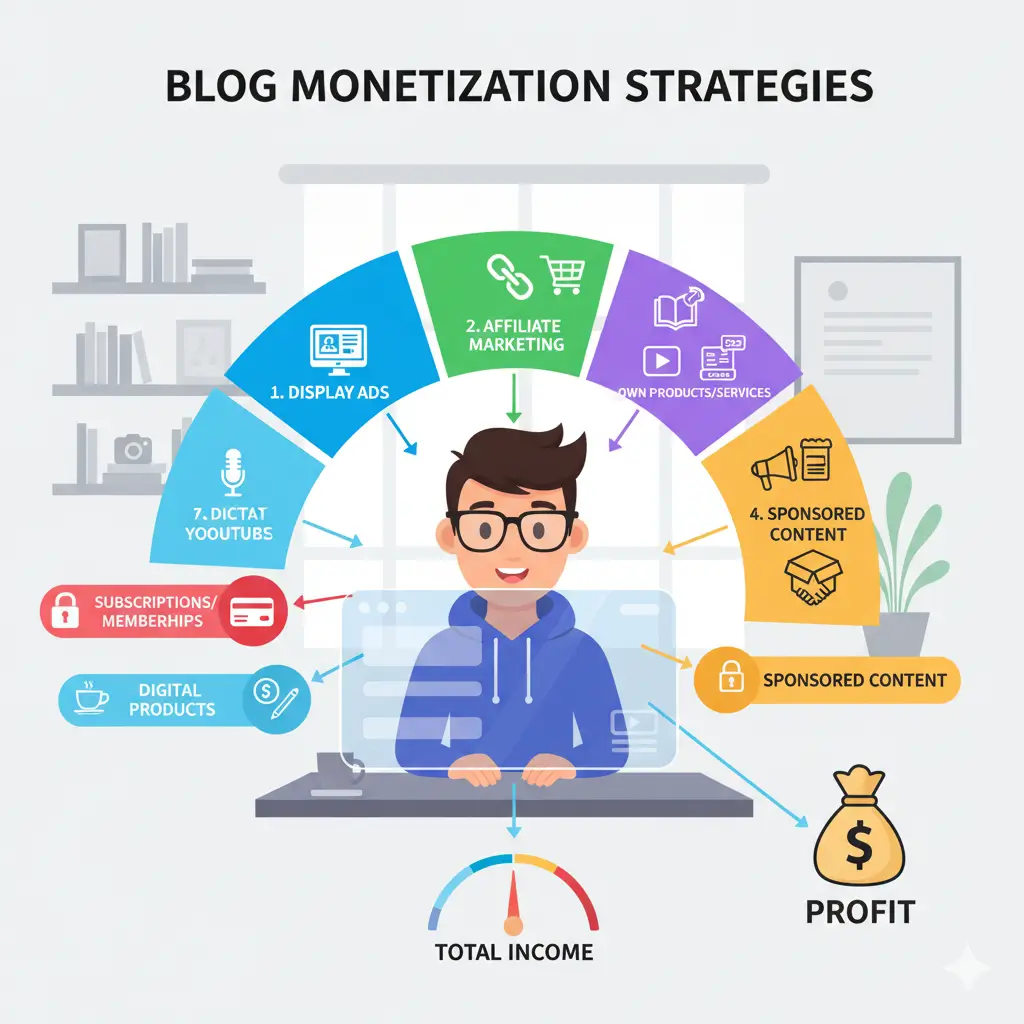
While passion should be your primary motivation when you start a blog, there are many ways to monetize your content once you’ve built an audience. In 2026, successful bloggers typically use multiple revenue streams rather than relying on just one method.
Popular Blog Monetization Methods
Affiliate Marketing
How it works: Promote products/services and earn a commission when readers purchase through your links.
Best for: Blogs with product-focused content (reviews, tutorials, comparisons)
Getting started:
Display Advertising
How it works: Place ads on your blog and earn money based on impressions or clicks.
Best for: Blogs with significant traffic (10,000+ monthly visitors)
Getting started:
Digital Products
How it works: Create and sell your own products directly to your audience.
Best for: Blogs with engaged audiences seeking specific solutions
Popular options:
Sponsored Content
How it works: Brands pay you to create content featuring their products or services.
Best for: Blogs with engaged niche audiences, regardless of size
Getting started:
Services
How it works: Offer your expertise as a service to readers and businesses.
Best for: Blogs demonstrating specific skills or expertise
Popular options:
Subscriptions/Memberships
How it works: Charge recurring fees for exclusive content or community access.
Best for: Blogs with loyal audiences seeking deeper engagement
Platform options:
Realistic Income Expectations for New Bloggers
Most blogs take 6-12 months to generate any significant income. Focus on creating valuable content and building your audience first—monetization will follow naturally as you establish trust and authority in your niche.
| Timeframe | Realistic Monthly Income | Primary Revenue Sources |
| 0-6 months | $0-$100 | Affiliate marketing, AdSense |
| 6-12 months | $100-$500 | Affiliate marketing, AdSense, occasional sponsored content |
| 1-2 years | $500-$2,000 | Affiliate marketing, premium ad networks, digital products, sponsored content |
| 2+ years | $2,000-$10,000+ | Multiple streams including courses, memberships, high-paying affiliates, premium sponsorships |
Note
These figures vary widely based on niche, content quality, promotion efforts, and monetization strategy. Some bloggers earn significantly more, while others may take longer to reach these milestones.
Tips for Effective Blog Monetization
Start with Your Audience in Mind
Choose monetization methods that genuinely help your audience solve problems. The best monetization feels like a natural extension of your content, not an interruption.
Create a Value Ladder
Develop offerings at different price points, from free content to premium products. This allows readers to engage with you at their comfort level.
Diversify Revenue Streams
Don’t rely on a single income source. Diversification protects you from algorithm changes, market fluctuations, and seasonal variations.
Maintain Transparency and Trust
Always disclose affiliate relationships and sponsored content. Your audience’s trust is your most valuable asset—don’t compromise it for short-term gains.
Focus on Conversion Rate Optimization
Sometimes earning more doesn’t require more traffic—just better conversion of your existing audience. Test different placements, calls-to-action, and offers.
Reinvest in Growth
As you begin earning income, reinvest some of it into improving your blog through better tools, design, content creation, or paid promotion.
Important
Many countries have legal requirements for disclosing affiliate relationships, sponsored content, and advertising. Research the regulations that apply to your location and audience to ensure compliance.
Common Mistakes to Avoid When Starting a Blog
As you embark on your blogging journey, being aware of common pitfalls can save you time, frustration, and potentially money. Here are the mistakes that trip up many new bloggers—and how to avoid them.
Technical Mistakes
Strategic Mistakes
Content Mistakes
Mindset Mistakes
The biggest mistake new bloggers make is giving up too soon. Blogging success rarely happens overnight—it’s built through consistent effort over time. The bloggers who succeed aren’t necessarily the most talented; they’re the ones who persisted when others quit.
Tools and Resources for New Bloggers
The right tools can significantly streamline your blogging workflow and help you create better content more efficiently. Here’s a curated list of the most useful resources for bloggers in 2026, organized by category.
Essential Blogging Tools by Category
Content Creation
SEO & Analytics
Email Marketing
Productivity & Organization
Social Media & Promotion
Monetization
Free and Low-Cost Learning Resources
Blogging Courses
Blogs About Blogging
Books
Podcasts
Pro Tip
Don’t get overwhelmed by all these tools and resources. Start with the essentials: a reliable hosting provider, WordPress, a simple theme, and basic analytics. Add more tools gradually as your specific needs emerge and your blog grows.
These tools don’t make the blogger—they just make blogging easier. Focus first on developing your voice, understanding your audience, and creating valuable content. The right tools will amplify your efforts, but they can’t replace the fundamentals.
Conclusion
Congratulations! You now have a comprehensive roadmap for how to start a blog in 2026. From choosing your niche and setting up WordPress to creating content and monetizing your blog, you’re equipped with the knowledge to begin your blogging journey with confidence.
Key Takeaways
Next Steps After Launching Your Blog
- Create a content calendar for your first month of blog posts
- Set up Google Analytics and Search Console to track your progress
- Join blogging communities in your niche for support and networking
- Establish a consistent publishing schedule you can realistically maintain
- Start building your email list with a simple lead magnet
The best time to start a blog was 10 years ago. The second best time is today. Don’t let perfectionism or fear hold you back—every successful blogger started with a single post and zero readers. What matters most is that you begin.
Remember that blogging is a journey, not a destination. You’ll learn, grow, and evolve along the way. Your first posts won’t be perfect—and that’s completely normal. What matters most is that you start creating, publishing, and connecting with readers who value your unique perspective.
The blogging landscape will continue to change, but the fundamentals of providing value, building connections, and consistent creation remain timeless. By following the steps in this guide, you’re well-positioned to build a successful blog that can grow with you for years to come.
Ready to Start Your Blog?
Take the first step today with Hostinger, our recommended hosting provider for new bloggers. Includes WordPress installation, free domain name, and 24/7 support.