

Website speed has never been more critical than in 2026. With Google’s Core Web Vitals firmly established as ranking factors and mobile users demanding lightning-fast experiences, optimizing your WordPress site’s performance isn’t optional—it’s essential. The right WordPress performance plugin can dramatically reduce loading times, improve user experience, and boost your search rankings.
After testing dozens of solutions on real websites, we’ve compiled this definitive guide to the 10 best WordPress performance plugins available today. Whether you’re running a small blog or managing a high-traffic eCommerce store, you’ll find the perfect tool to supercharge your site’s speed.
Why Website Speed Matters
Before diving into specific WordPress performance plugins, let’s understand why website performance is more crucial than ever in 2026:
User Experience Impact
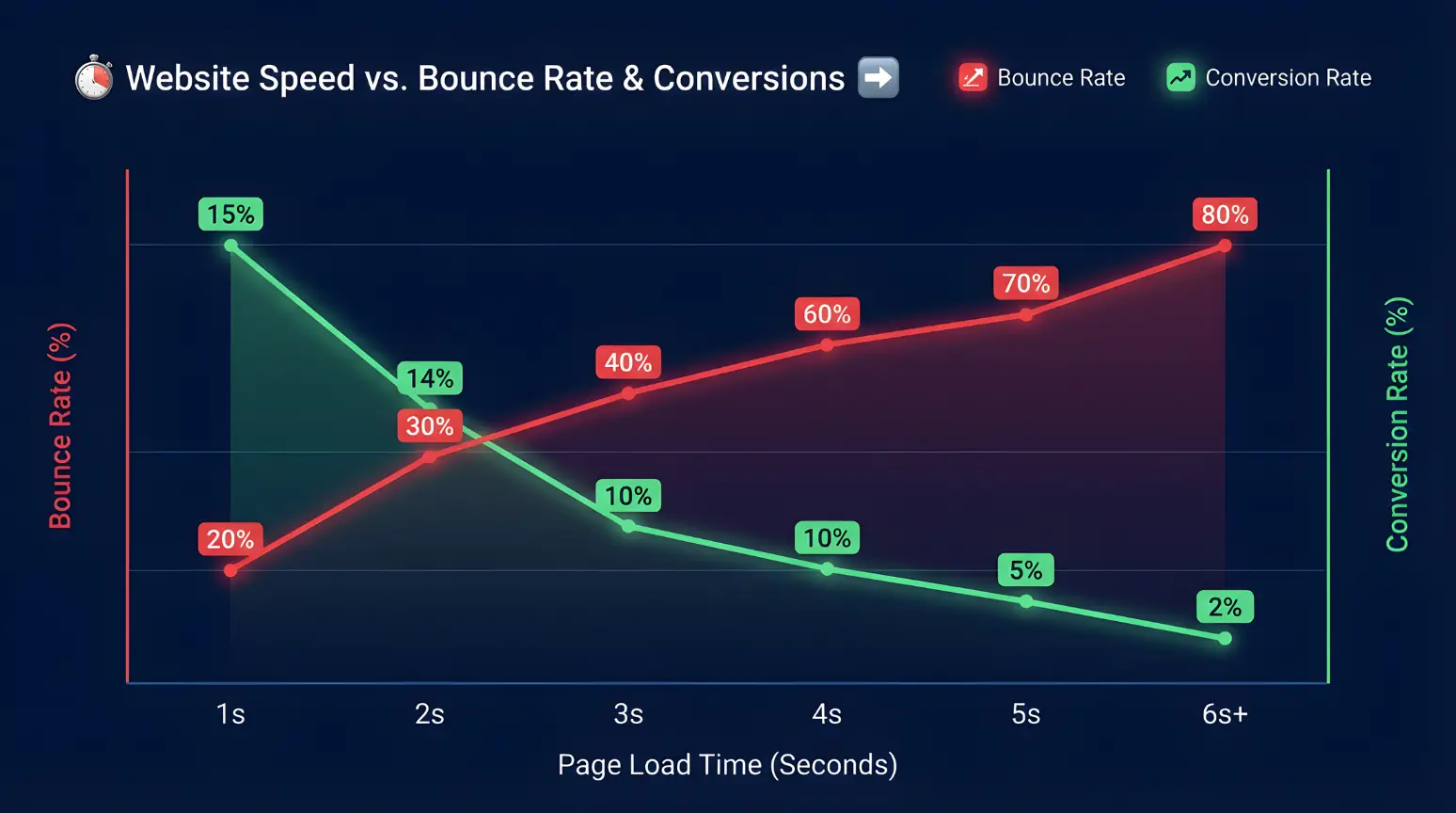
Studies show that 53% of mobile users abandon sites that take longer than 3 seconds to load. In today’s fast-paced digital world, users expect instant access to information and will quickly leave slow-loading websites.
SEO Advantage
Google’s algorithm now heavily weighs Core Web Vitals metrics when determining search rankings. Faster websites consistently outrank slower competitors, even with similar content quality.
Conversion Optimization
For every second delay in page response, conversions fall by an average of 7%. Faster sites don’t just attract more visitors—they convert them more effectively.
Mobile Performance
With mobile traffic now accounting for over 60% of web visits, optimizing for mobile speed has become non-negotiable for business success.
Note
WordPress sites face unique performance challenges due to their dynamic nature. The right performance plugin can address these issues without requiring technical expertise.
WordPress Performance Plugins at a Glance
Before we dive into detailed reviews, here’s a quick comparison of the top WordPress performance plugins:
| Plugin | Best For | Key Features | Price | Rating |
| WP Rocket | All-in-one optimization | Page caching, lazy loading, minification | $59/year | 4.9/5 |
| FlyingPress | Advanced optimization | Critical CSS, image optimization, CDN | $59/year | 4.8/5 |
| Jetpack Boost | Beginners | Simple interface, critical CSS, lazy loading | Free/$59/year | 4.7/5 |
| W3 Total Cache | Advanced users | Multiple caching types, CDN integration | Free/$99/year | 4.5/5 |
| LiteSpeed Cache | LiteSpeed servers | Server-level caching, image optimization | Free | 4.6/5 |
| SG Optimizer | SiteGround hosting | Dynamic caching, image optimization | Free | 4.5/5 |
| Perfmatters | Script optimization | Script manager, database optimization | $59/year | 4.7/5 |
| WP Super Cache | Simple caching | Static HTML caching, CDN support | Free | 4.3/5 |
| NitroPack | All-in-one solution | Advanced caching, image optimization, CDN | $17.50/month | 4.6/5 |
| Asset CleanUp | Reducing HTTP requests | Script manager, CSS/JS optimization | Free/$49/year | 4.4/5 |
1. WP Rocket – Best All-in-One Performance Plugin
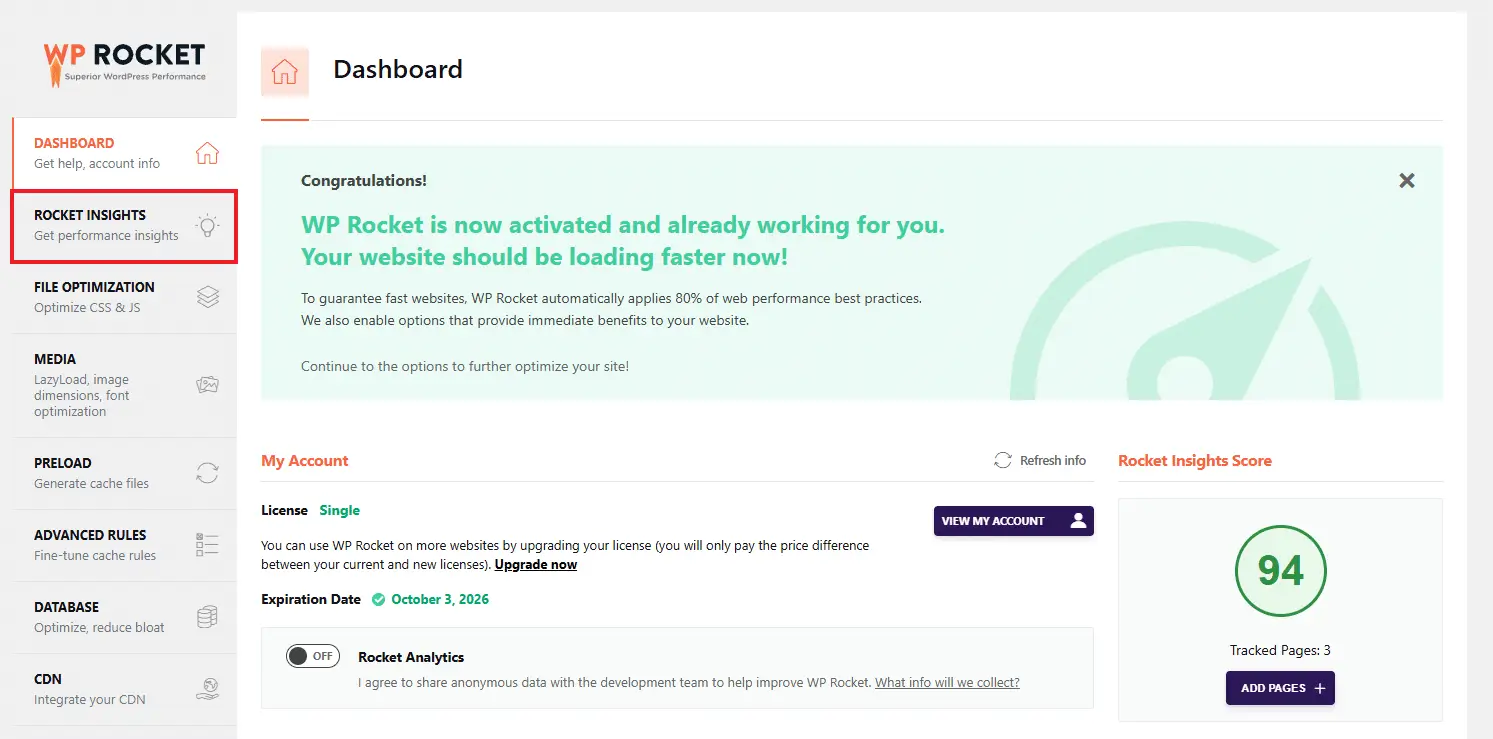
WP Rocket consistently ranks top among the best WordPress performance plugins for good reasons. It combines powerful optimization features with an incredibly user-friendly interface that makes speed optimization accessible to everyone.
Key Features
Pros
Cons
Ideal For
WP Rocket is perfect for website owners who want significant performance improvements without dealing with complex technical settings. It’s especially valuable for business websites, eCommerce stores, and high-traffic blogs where performance directly impacts revenue.
Pricing
WP Rocket operates on a yearly subscription model:
Ready to Rocket Your Website Speed?
Experience the fastest WordPress performance plugin with minimal setup. WP Rocket’s user-friendly approach makes optimization simple for everyone.
2. FlyingPress – Best for Advanced Optimization
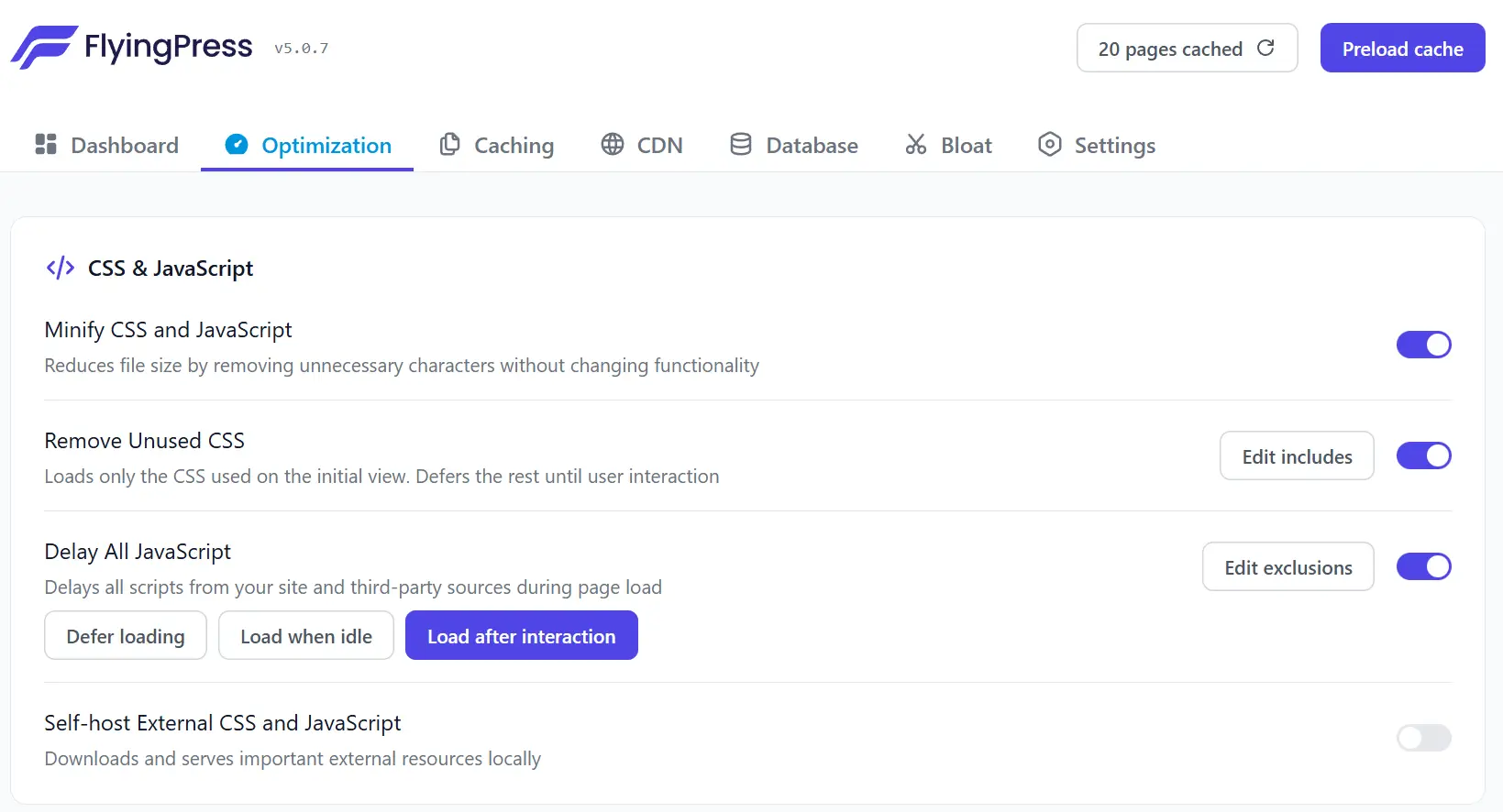
FlyingPress is relatively new in the list of WordPress performance plugins, and has quickly gained popularity for its comprehensive approach to WordPress optimization. It combines powerful features with an intuitive interface, making it suitable for both beginners and advanced users.
Key Features
Pros
Cons
Ideal For
FlyingPress is ideal for website owners who want comprehensive optimization with particular attention to Core Web Vitals. It’s especially effective for image-heavy websites, WooCommerce stores, and sites targeting mobile users.
Pricing
FlyingPress offers several pricing tiers:
Take Your WordPress Performance to New Heights
FlyingPress delivers exceptional speed optimization with particular focus on Core Web Vitals metrics that directly impact your search rankings.
3. Jetpack Boost – Best for Beginners
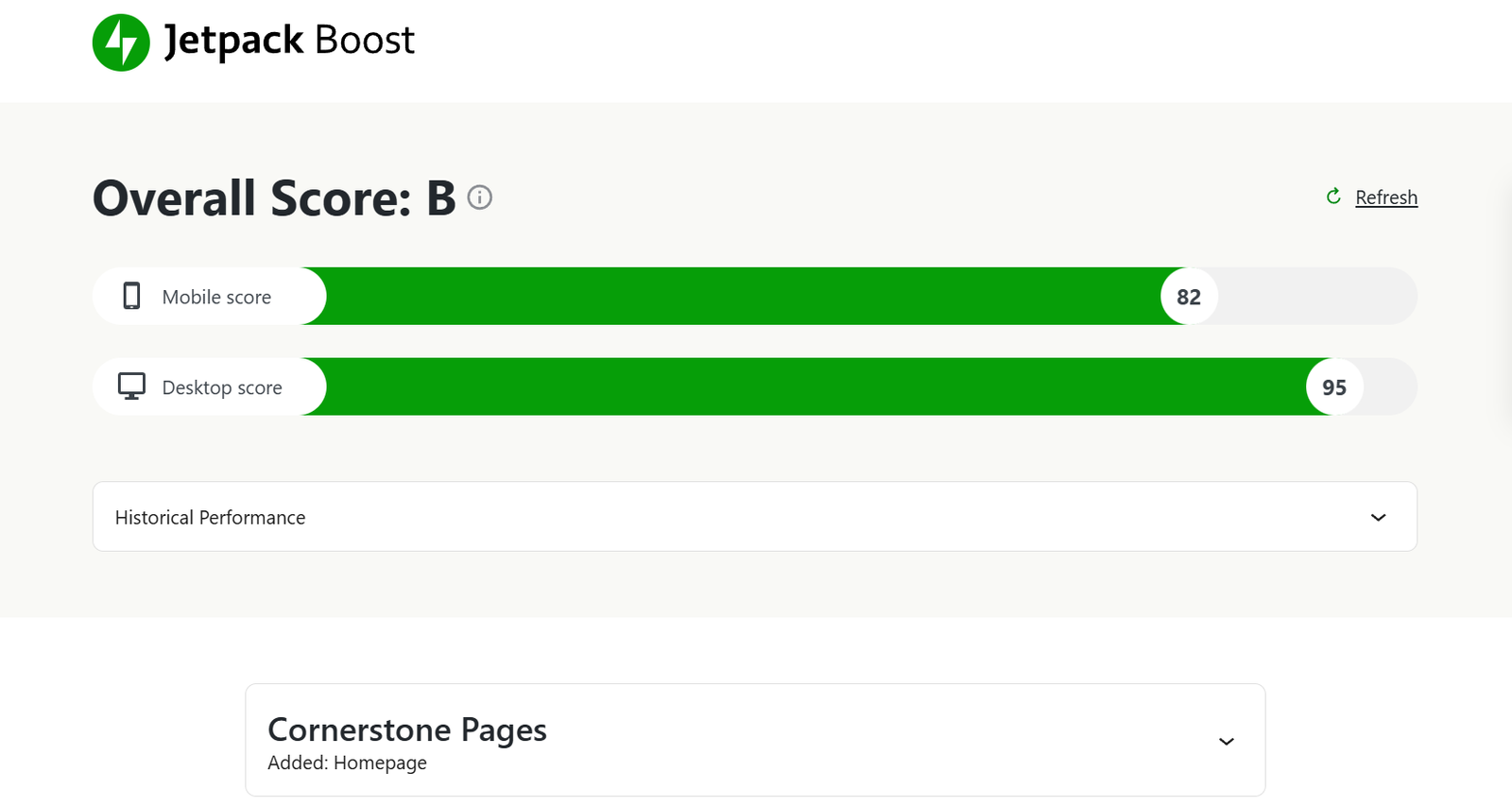
Developed by Automattic (the company behind WordPress.com), Jetpack Boost offers a streamlined approach to WordPress performance optimization. Its simplicity makes it perfect for beginners while still delivering meaningful speed improvements.
Key Features
Overall Rating
Pros
Cons
Ideal For
Jetpack Boost is perfect for beginners, small business websites, and blogs where simplicity is valued over advanced customization. It’s also great for sites already using other Jetpack services.
Pricing
Speed Up Your Site with Just a Few Clicks
Jetpack Boost offers the simplest way to improve your WordPress performance with minimal configuration required.
4. W3 Total Cache – Best for Advanced Users
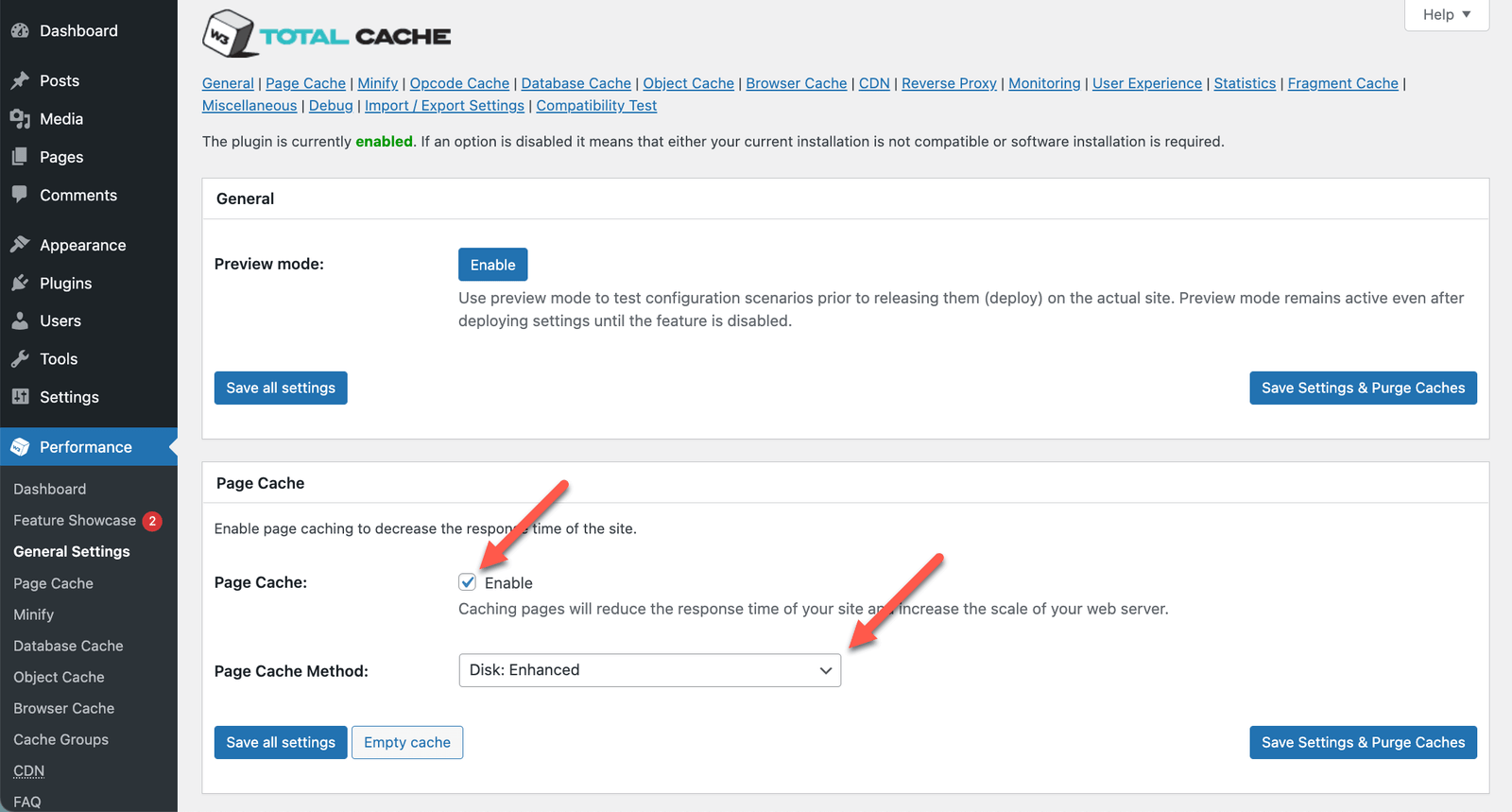
W3 Total Cache is one of the most comprehensive and configurable WordPress performance plugins available. With over 1 million active installations, it provides an extensive range of optimization options for technically minded users.
Key Features
Pros
Cons
Ideal For
W3 Total Cache is best suited for technically advanced users, developers, and agencies who want granular control over every aspect of website performance optimization. It’s particularly effective for high-traffic websites that need custom caching strategies.
Pricing
5. LiteSpeed Cache – Best for LiteSpeed Servers
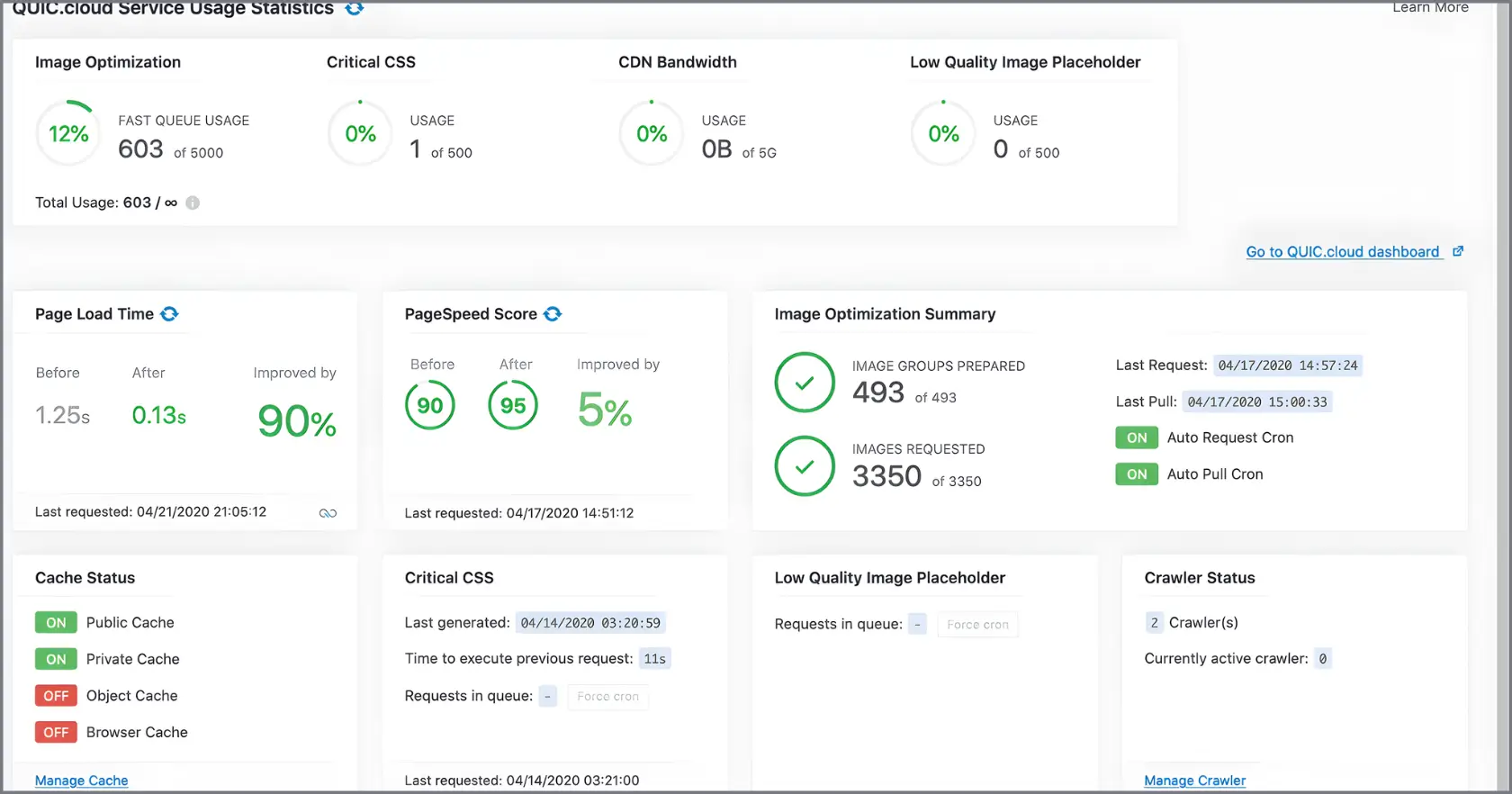
LiteSpeed Cache is specifically designed to work with LiteSpeed web servers, offering server-level caching capabilities that can dramatically improve WordPress performance. It’s completely free yet offers premium-level features.
Key Features
Pros
Cons
Ideal For
LiteSpeed Cache is the perfect choice for websites hosted on LiteSpeed servers, including many popular hosting providers like Hostinger, A2 Hosting, and Cloudways LiteSpeed plans. It delivers exceptional performance when paired with the right server environment.
Pricing
LiteSpeed Cache is completely free with no premium version or paid upgrades.
6. SG Optimizer – Best for SiteGround Hosting
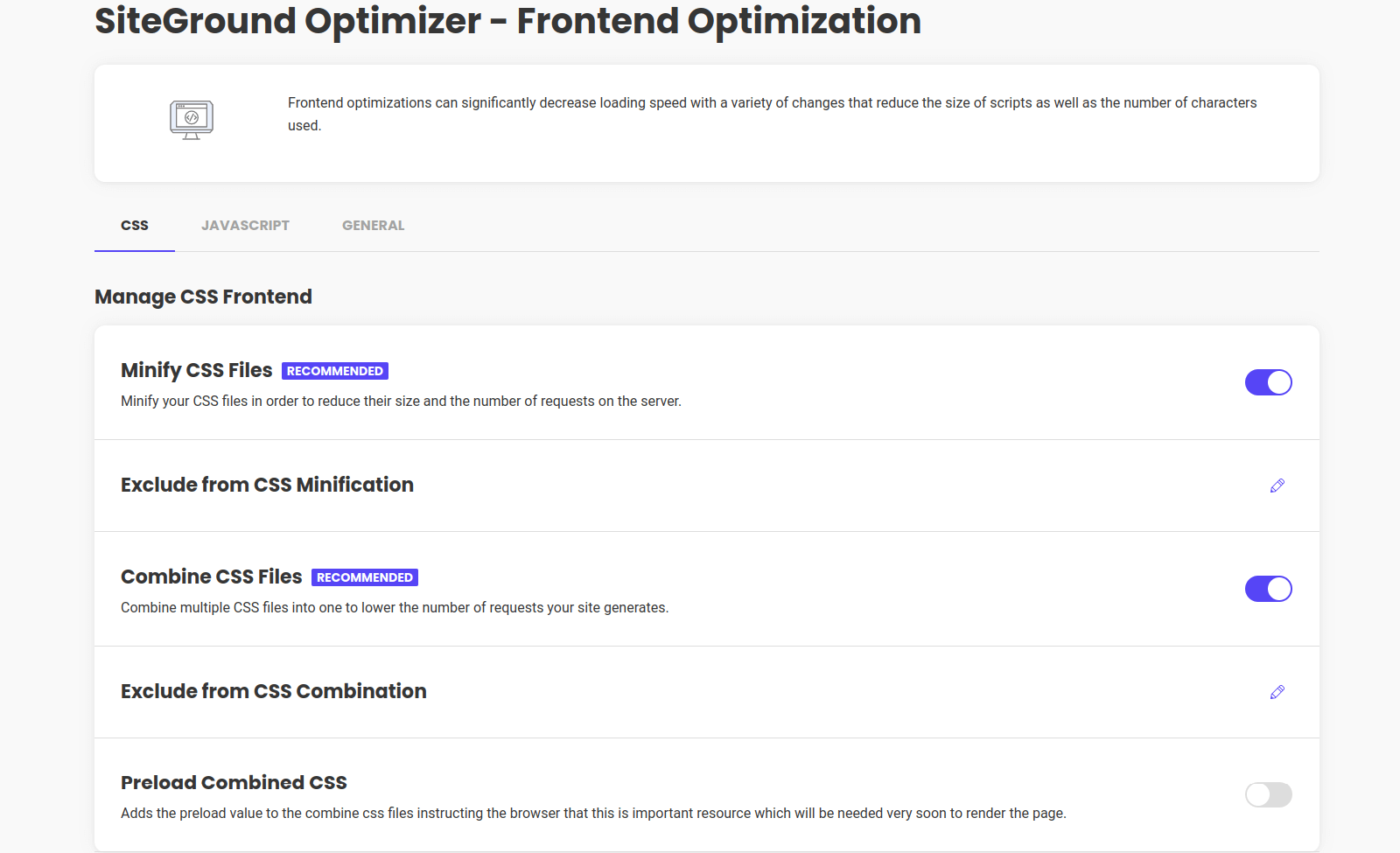
SG Optimizer is SiteGround’s official WordPress performance plugin, designed to leverage the hosting provider’s specific technologies for maximum speed. It’s exclusively available for SiteGround customers and offers deep integration with their hosting infrastructure.
Key Features
Pros
Cons
Ideal For
SG Optimizer is the perfect choice for any WordPress website hosted on SiteGround. It’s specifically designed to leverage SiteGround’s server architecture and caching technologies for optimal performance.
Pricing
SG Optimizer is completely free for all SiteGround hosting customers.
7. Perfmatters – Best for Script Optimization
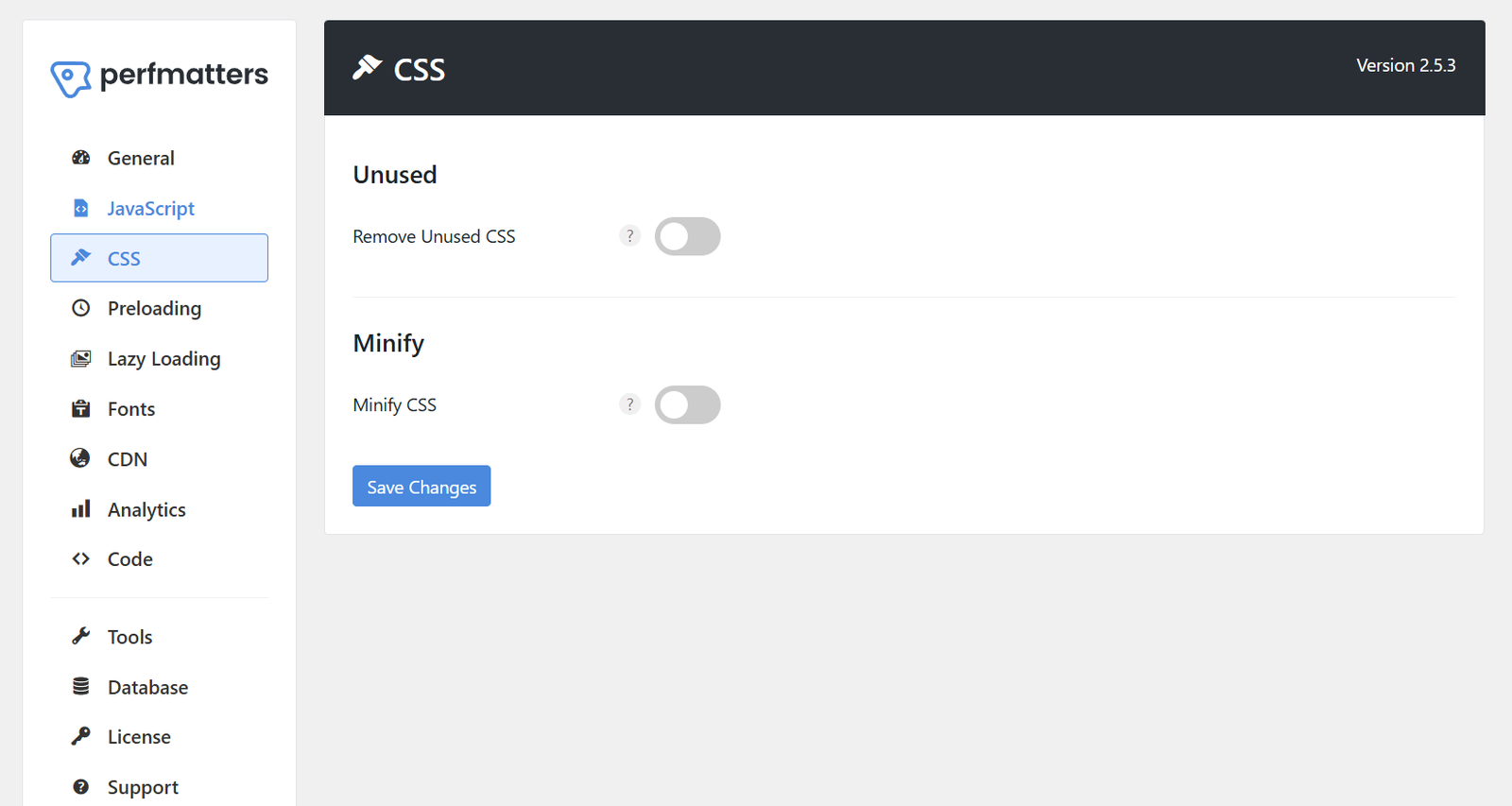
Perfmatters takes a different approach to WordPress optimization by focusing on reducing HTTP requests and controlling script loading. Created by a team of WordPress performance experts, it excels at removing unnecessary code bloat.
Key Features
Pros
Cons
Ideal For
Perfmatters is ideal for websites with many plugins that need to control script loading on different pages. It works exceptionally well when paired with a dedicated caching plugin for comprehensive optimization.
Pricing
Optimize Your WordPress Scripts
Perfmatters helps you take control of every script and resource loading on your WordPress site for maximum performance.
8. WP Super Cache – Best Free Caching Solution
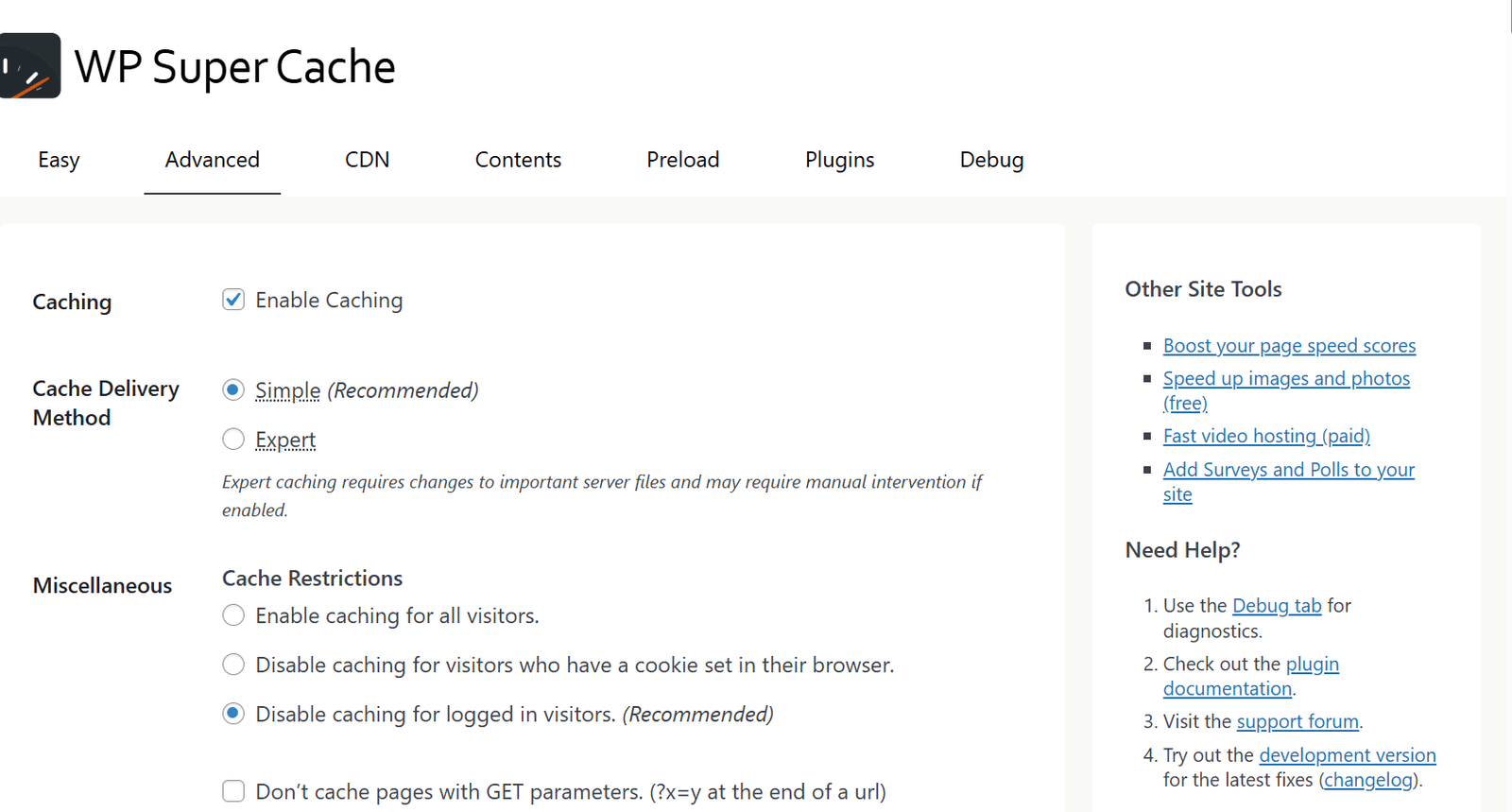
Developed by Automattic, WP Super Cache is one of the most popular free caching plugins for WordPress. It generates static HTML files from your dynamic WordPress content, serving these to the majority of your visitors.
Key Features
Pros
Cons
Ideal For
WP Super Cache is perfect for small to medium websites on budget hosting plans. It’s an excellent choice for bloggers, small businesses, and anyone looking for a free, reliable caching solution without advanced requirements.
Pricing
WP Super Cache is completely free with no premium version.
9. NitroPack – Best All-in-One Cloud Solution
NitroPack takes a unique cloud-based approach to WordPress optimization. Rather than running optimizations on your server, it handles most processes through its cloud infrastructure, reducing the load on your hosting while delivering exceptional performance.
Key Features
Pros
Cons
Ideal For
NitroPack is ideal for business websites, eCommerce stores, and high-traffic blogs where performance is critical and budget allows for a premium solution. It’s particularly effective for sites struggling with Core Web Vitals metrics.
Pricing
NitroPack uses a monthly subscription model based on pageviews:
Experience Cloud-Powered Performance
NitroPack’s unique cloud-based approach delivers exceptional speed improvements with minimal configuration required.
10. Asset CleanUp – Best for Reducing HTTP Requests
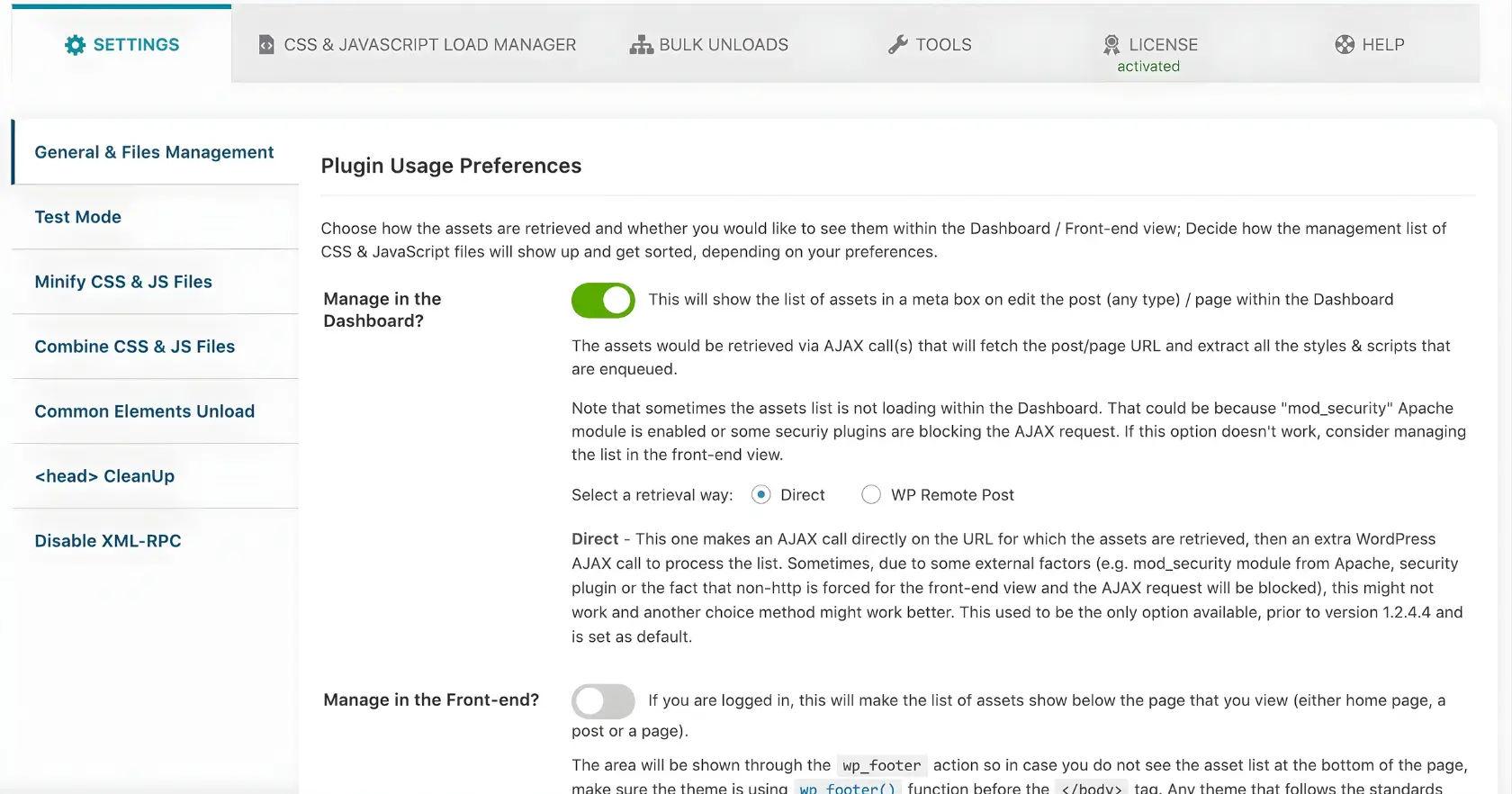
As one of the best wordpress performance plugins, Asset CleanUp focuses on reducing the number of HTTP requests by allowing you to disable unnecessary CSS and JavaScript files on specific pages. This targeted approach can significantly improve loading times without affecting functionality.
Key Features
Pros
Cons
Ideal For
Asset CleanUp is perfect for websites with many plugins that load unnecessary scripts across the site. It works best when paired with a dedicated caching plugin for comprehensive optimization.
Pricing
How to Choose the Right WordPress Performance Plugin
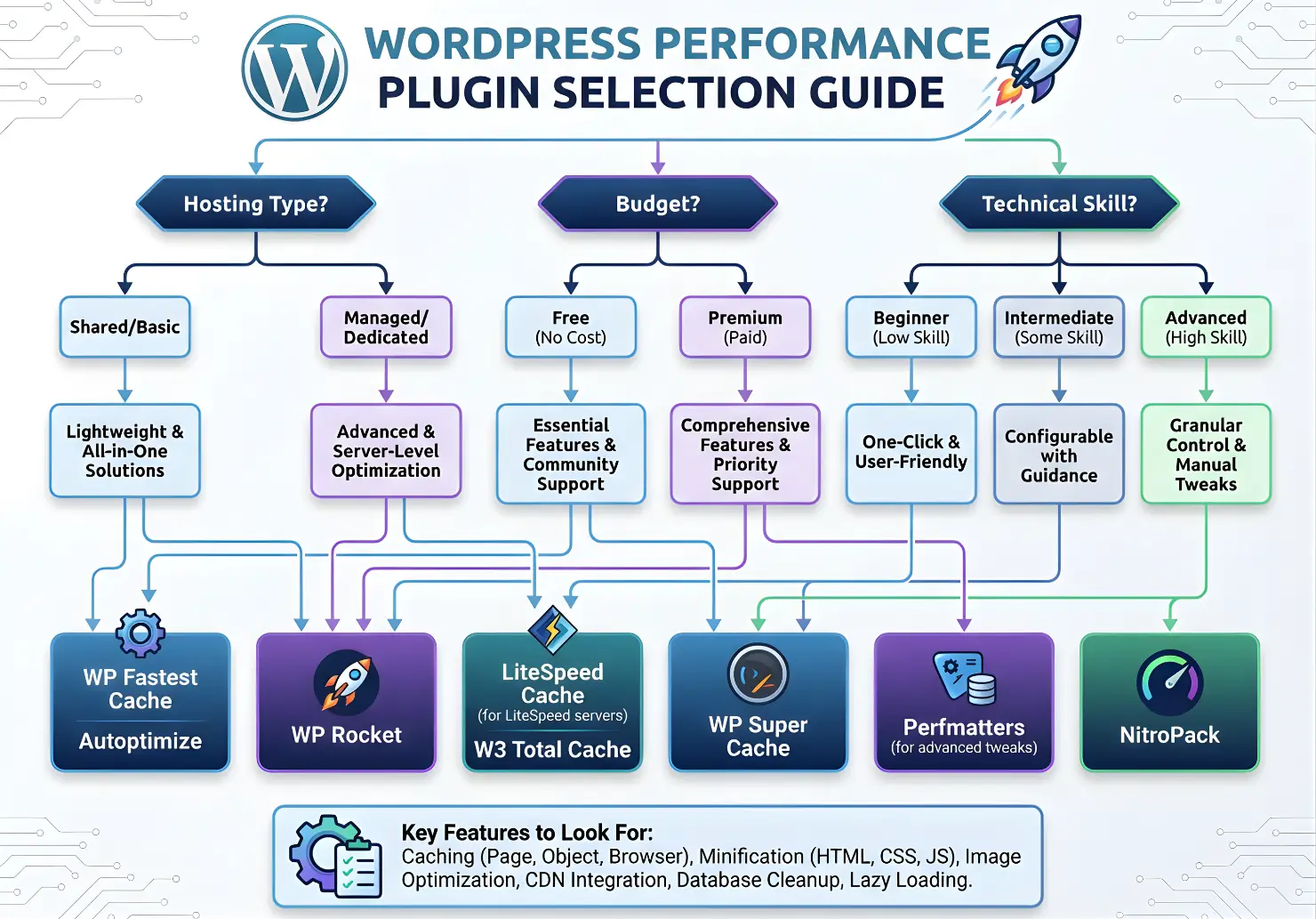
With so many excellent WordPress performance plugins available, choosing the right one depends on your specific needs, technical expertise, and budget. Here’s a framework to help you make the best decision:
Consider Your Hosting Environment
Your hosting provider plays a crucial role in determining which plugin will work best:
Assess Your Technical Expertise
Your comfort level with WordPress and technical settings should influence your choice:
Identify Your Website Type
Different websites have different optimization needs:
Consider Your Budget
Performance optimization investments typically pay for themselves through improved conversion rates and SEO, but budget is still a consideration:
The best performance solution often combines a caching plugin with specialized optimization tools. For example, WP Rocket or LiteSpeed Cache paired with Perfmatters creates a powerful optimization stack.
WordPress Performance Best Practices Beyond Plugins
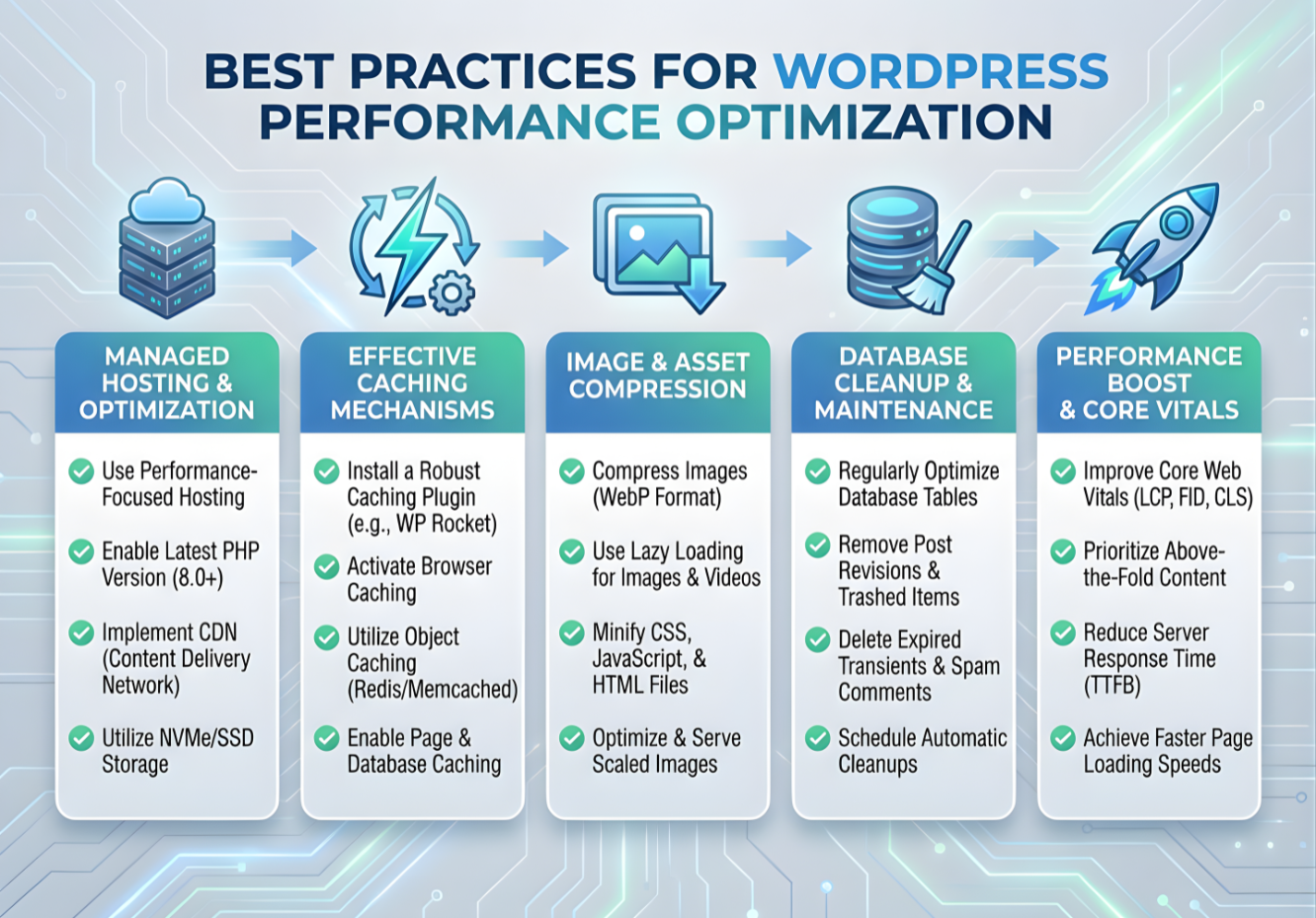
While WordPress performance plugins can dramatically improve your website speed, they work best as part of a comprehensive optimization strategy. Here are essential best practices to implement alongside your chosen plugin:
Quality Hosting
The foundation of website performance is quality hosting. Consider managed WordPress hosting from providers like WP Engine, Kinsta, or SiteGround for optimized server configurations and built-in performance features.
Lightweight Theme
Choose a well-coded, lightweight theme that follows WordPress best practices. Themes with excessive features and page builders can significantly impact performance regardless of optimization plugins.
Image Optimization
Optimize images before uploading them to WordPress. Use modern formats like WebP, appropriate dimensions, and compression tools like ShortPixel or Imagify for existing media libraries.
Limit Plugins
Each plugin adds code to your site. Regularly audit your plugins, removing any that aren’t essential. One comprehensive plugin is often better than multiple single-purpose tools.
Database Maintenance
Regularly clean your database of post revisions, spam comments, and transients. Most performance plugins include database optimization features, or you can use specialized tools like WP-Optimize.
Content Delivery Network
Implement a CDN to serve static assets from servers closer to your visitors. Many performance plugins integrate with popular CDNs like Cloudflare, or BunnyCDN.
Pro Tip
Regularly test your website speed using tools like Google PageSpeed Insights, GTmetrix, or WebPageTest. Monitor your Core Web Vitals through Google Search Console to identify specific areas for improvement.
Conclusion
In 2026, website performance isn’t just about user experience—it’s a critical factor in search rankings, conversion rates, and overall business success. The right WordPress performance plugin can transform your site from sluggish to lightning-fast, often with minimal configuration required.
For most WordPress sites, we recommend starting with WP Rocket or FlyingPress for their excellent balance of features, ease of use, and proven results. For those on specific hosting platforms, take advantage of purpose-built solutions like SG Optimizer or LiteSpeed Cache. And remember that performance optimization is an ongoing process—regularly test your site speed and make adjustments as needed.
By implementing the right performance plugin alongside the best practices we’ve outlined, you’ll create a faster, more efficient WordPress site that delights visitors and satisfies search engines alike.
Ready to Supercharge Your WordPress Site?
Choose our recommended w performance plugin today and transform your website speed for better user experience, higher conversions, and improved search rankings.